每次寫文章我覺得最難的就是「開場白」, 因此這次我決定開門見山。
「Flickr Exif Info」是一個供「Greasmonkey」這個 Firefox 擴充套件所使用的 Script。它能夠直接在 Flickr 的 Photo Page 中顯示照片的 Exif 資訊, 省去進入 Flickr「
More properties
」頁面或開啟專用的 Exif 檢視軟體的麻煩。
使用後的效果如下圖右下方紅線框起處:
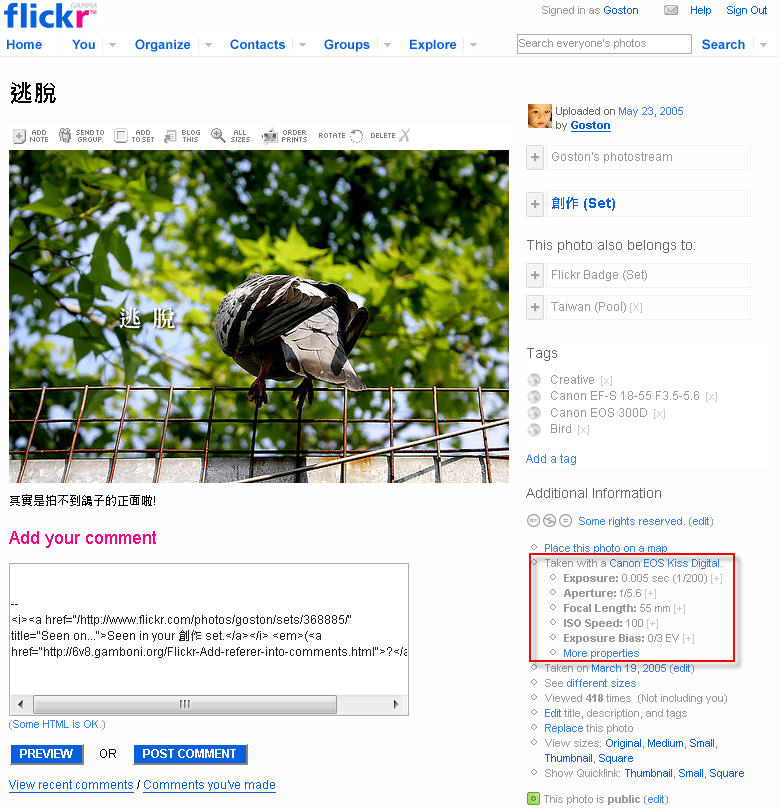
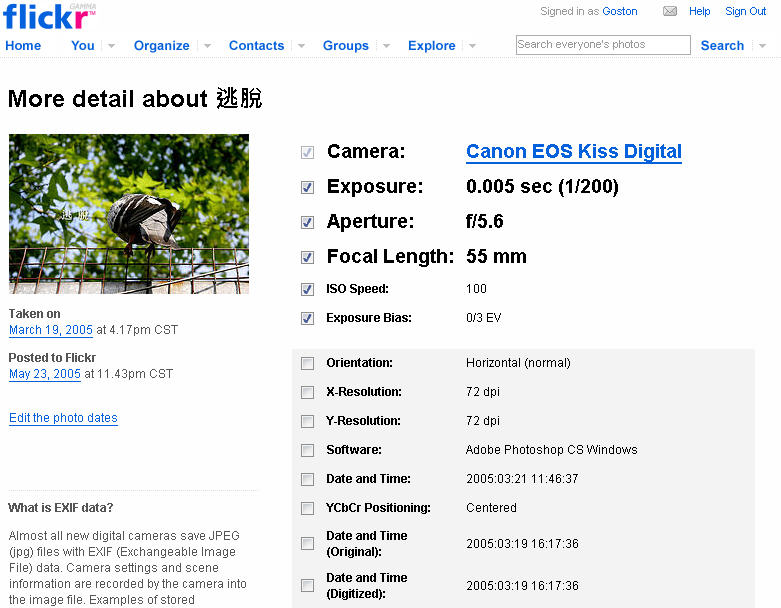
你可以進到「
More properties
」頁面勾選想要在 Photo Page 顯示的 Exif 項目:
以上, 一個對喜好攝影的人簡單而實用的小工具。
相關連結:
[tags]Flickr, Firefox, Greasemonkey, Extension, Script[/tags]
這個小工具真是不錯~大感謝~ :)
PS.其實我已經在你這看到不少好用的小撇步了 感謝阿 ^^
感謝Goston大的分享,真是實用的小工具啊!
這個軟體真的很棒
尤其是想要參考高手的設定值
不過
想請教一下Goston
可以把properties顯示出來的字
用中文顯示出來呢??
@Eddy
如果你是想讓這個 Script 顯示出中文, 如: 光圈 5.6 這樣的中文的話, 我剛剛看了原始碼, 應該是可以做到的, 只是要修改它的原始碼就是了…
如果你是希望 Flickr 原本的 propertie 頁面能夠顯示中文的話, Flickr 預計今年會推出多國語系介面, 且中文在其中… 如果不想等的話, 那麼只有自己寫個 Script 硬把頁面的內容 Replace 掉囉…
請問有無類似的 firefox extension ? 我翻了一下,大部分的FF外掛都得按滑鼠操作,而沒有類似您這種直接在圖片上呈現exif的外掛….
@Number 5
試試這個?
photoinfo :: Add-ons for Firefox
謝謝Goston的推薦,不過FF 3.5.2下會說photoinfo不相容,但是還是可以用。
另外就是沒exif的圖片,反而loading要很久…@@