[後製] 創造屬於自己的星球


2007/06/04 16:20 1,433Views


最近很常看到這種把相片變成一顆小型地球的有趣相片, 到底這種相片該怎麼做呢? 本文就來告訴大家。

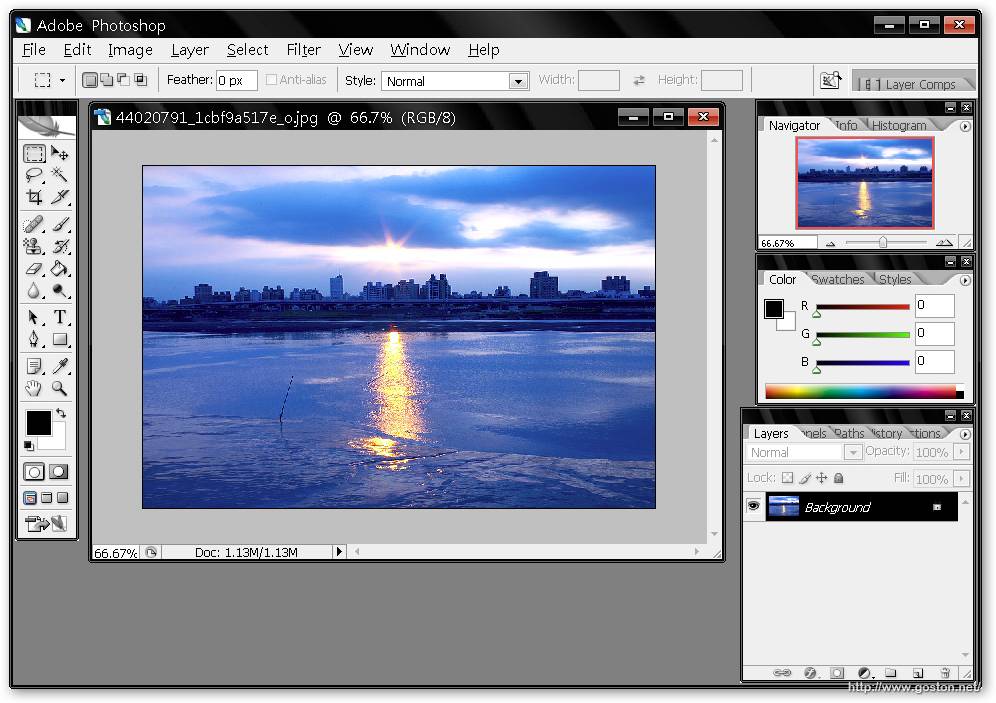
首先開啟一張欲做成小地球的相片:
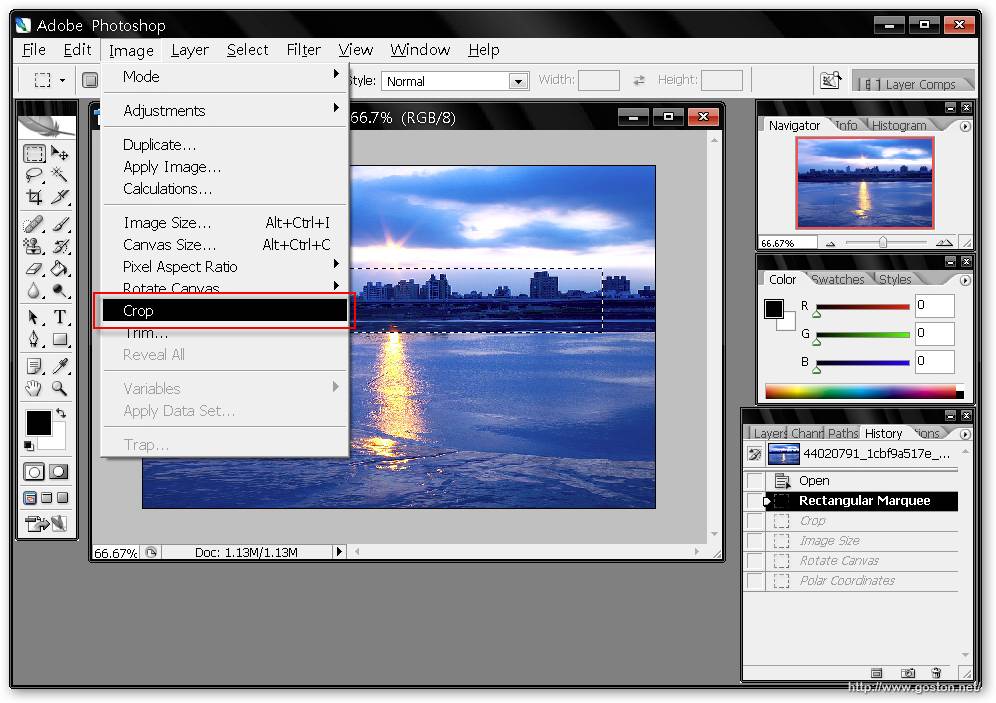
利用矩形選取工具選出欲做成地球的部份 (最好包含天空):
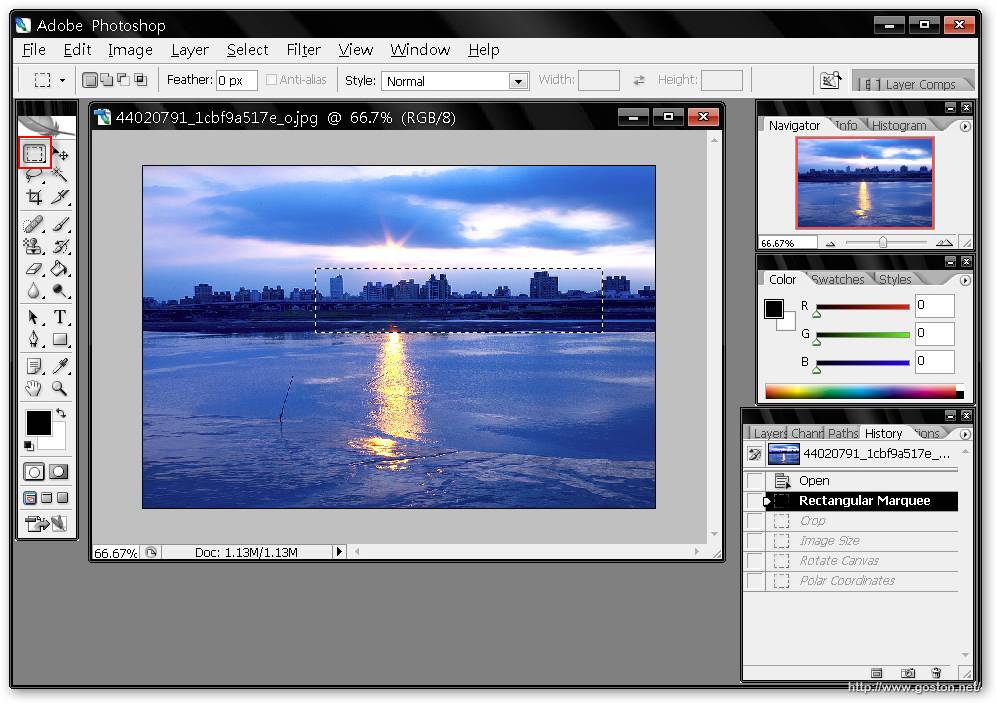
將選取的部份裁切下來:
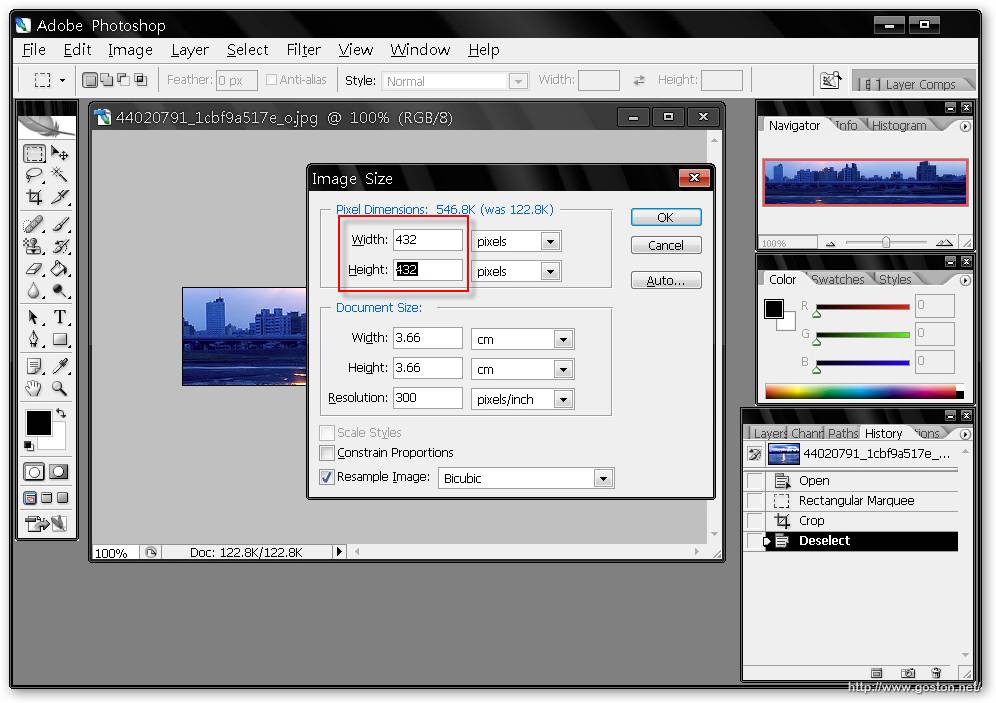
選擇調整影像大小:
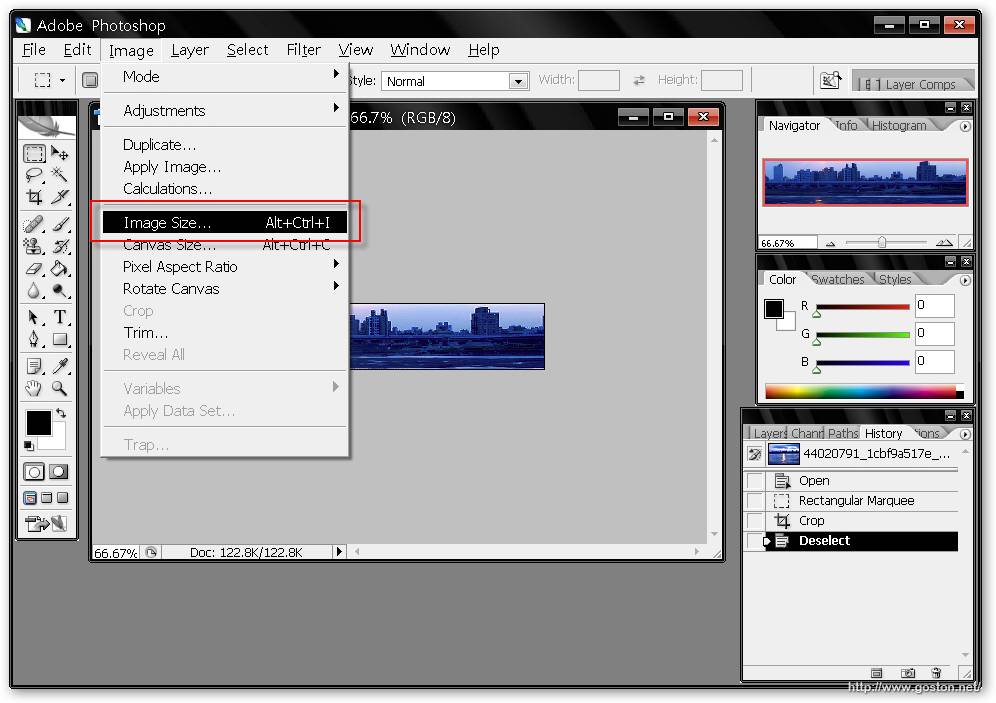
將影像的寬度或高度設成較長邊的數值, 使影像變成一個方形, 下方的「Constrain Proportions」記得取消勾選:

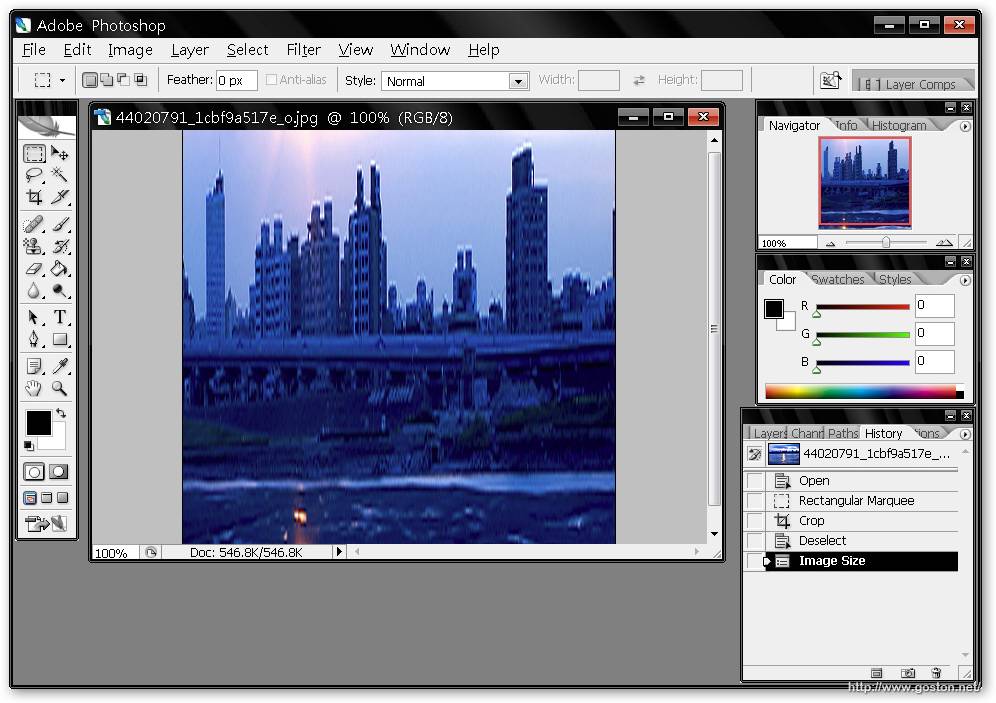
按下「OK」鍵後就能發現影像被調整成方形:

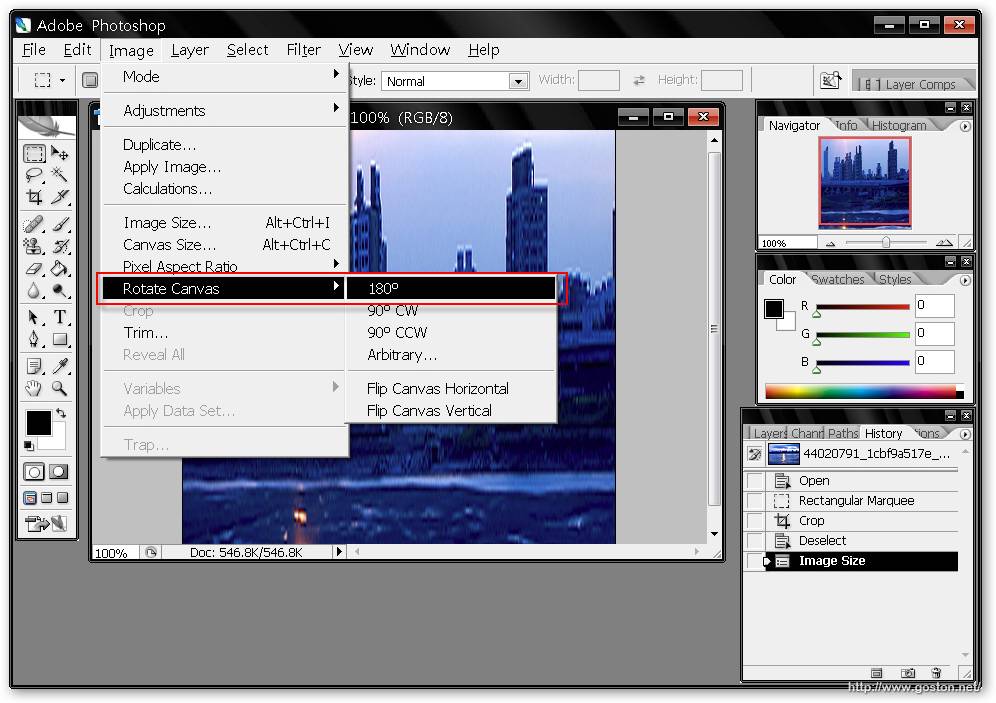
將影像做 180 度的翻轉:

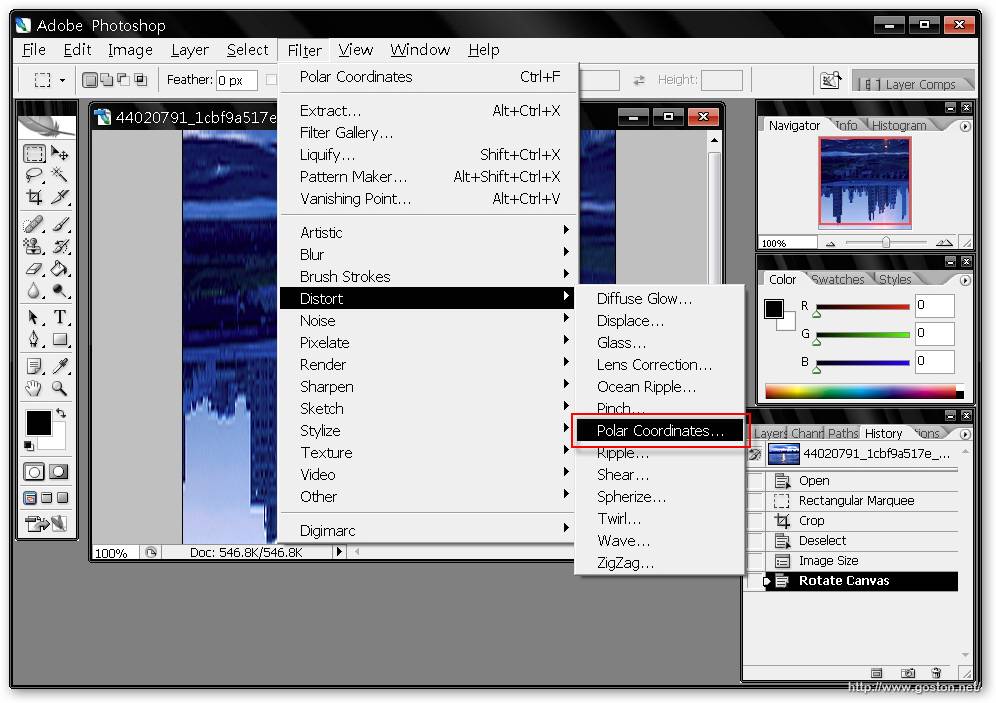
再將選擇「濾鏡」->「扭曲」->「Polar Coordinates」(不好意思, 這項的中文我不會翻), 然後會出現一個對話框, 直接按下「OK」鍵:

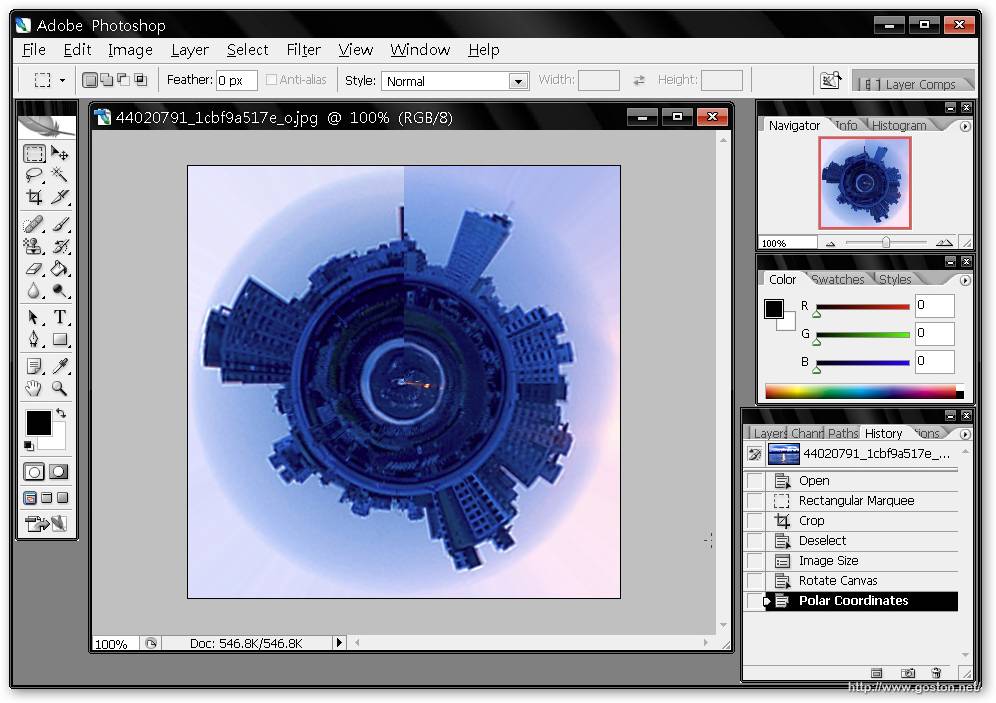
可以發現影像變成一顆小地球的樣子了:

接下來按「Ctrl」+「T」將地球旋轉到想要的角度, 然後將影像接縫處修整, 讓接縫看起來不要太明顯即可。

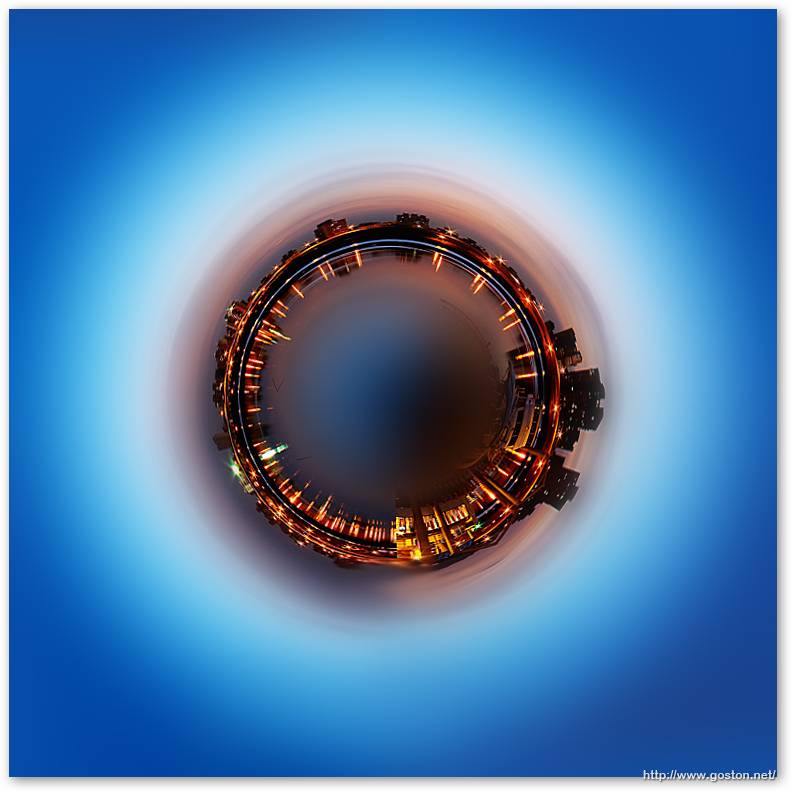
下圖就是我做的完成圖:
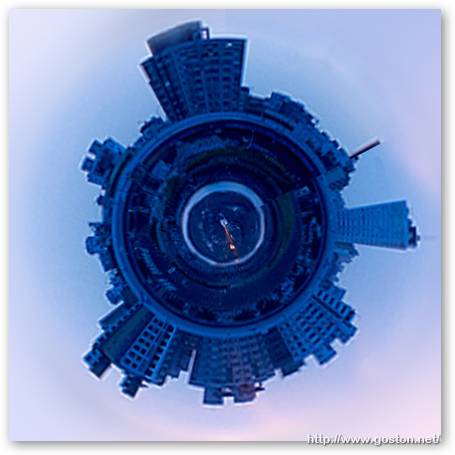
很有趣吧! 建議大家用環景圖來接會有更好的效果哦!

Entry Filed under: 攝影天地, 攝影教學

post to del.icio.us  post to MyShare  post to HEMiDEMi  post to funP

4 Comments Add your own

  • 1. bocool  |  2007/06/04 18:32 | 回覆

    那個濾鏡在中文版應該是叫旋轉效果:D

    Using Mozilla Firefox Mozilla Firefox 2.0.0.4 on Windows Windows XP
  • 2. 大頭鼠  |  2007/06/04 20:03 | 回覆

    很棒的特殊效果,讓我也想試試看:)

    Using Mozilla Firefox Mozilla Firefox 2.0.0.4 on Windows Windows XP
  • 3. 魏魅魁  |  2007/06/05 04:36 | 回覆

    咦……我選的是「極座標」就有這種效果了XD|||

    Using Internet Explorer Internet Explorer 7.0 on Windows Windows XP
  • 4. Sandy  |  2007/06/05 15:16 | 回覆

    真的非常漂亮~!!
    感謝 Goston 分享~ ^^

    Using Internet Explorer Internet Explorer 7.0 on Windows Windows XP

Leave a Comment

Required

Required, hidden

Some HTML allowed:
<a href="" title=""> <abbr title=""> <acronym title=""> <b> <blockquote cite=""> <cite> <code> <del datetime=""> <em> <i> <q cite=""> <strike> <strong>

Trackback this post  |  Subscribe to the comments via RSS Feed


Donate Me

Related Posts

Recent Posts

Recent Comments