[資訊] 線上製作相片幻燈片 - Slideroll


2007/06/13 08:53 1,970Views


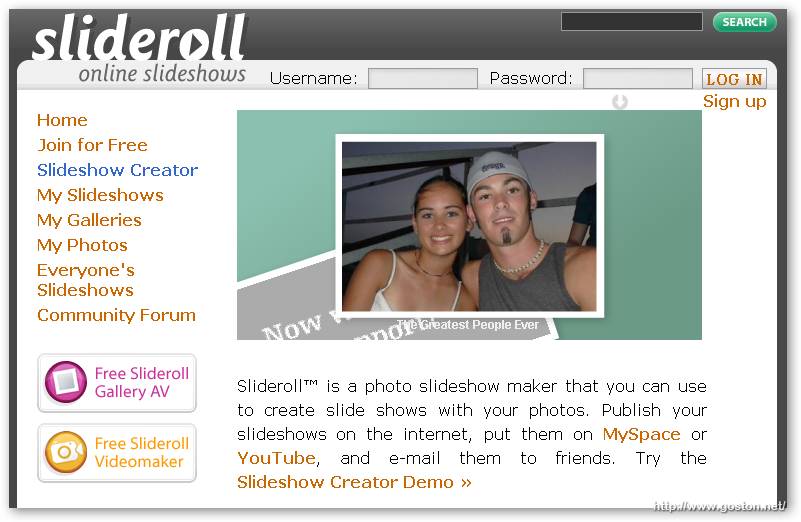
Slideroll」是個能快速製作相片 Slideshow 並放在網站上供人欣賞的網站。網站服務分付費及免費會員, 免費會員所能使用的功能及產製的 Slideshow 大小將會有所限制, 不過用在 Blog 上應該是夠用了。

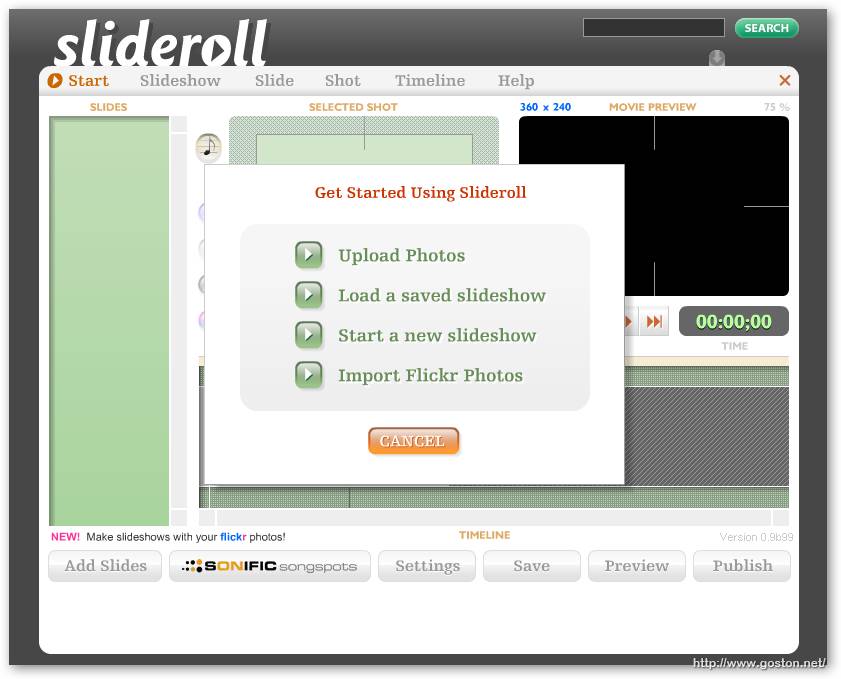
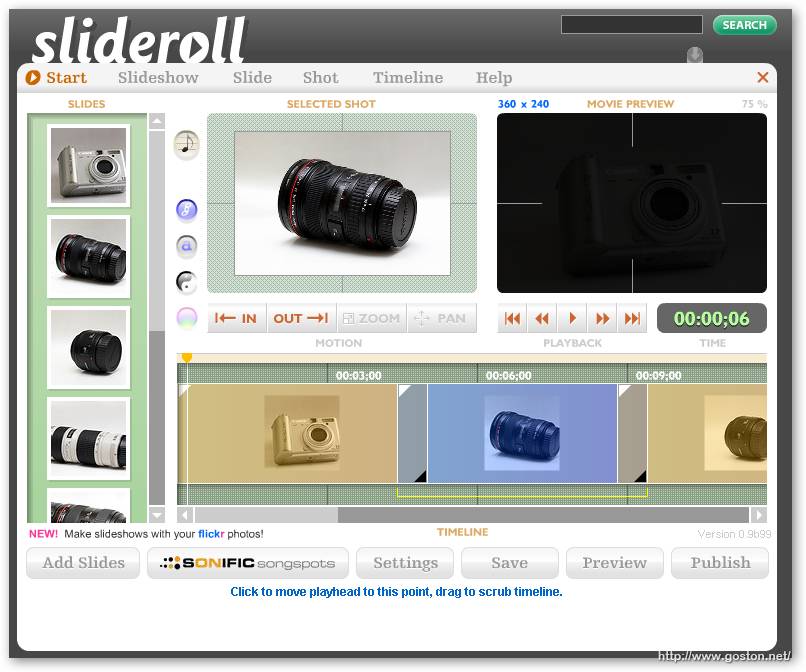
這是製做 Slideshow 的介面, 除了可以自行上傳相片外, 還可以匯入「Flickr」中的相片 (話說, 現在好像類似的相片應用服務都得和 Flickr 有一腿才夠炫!?):
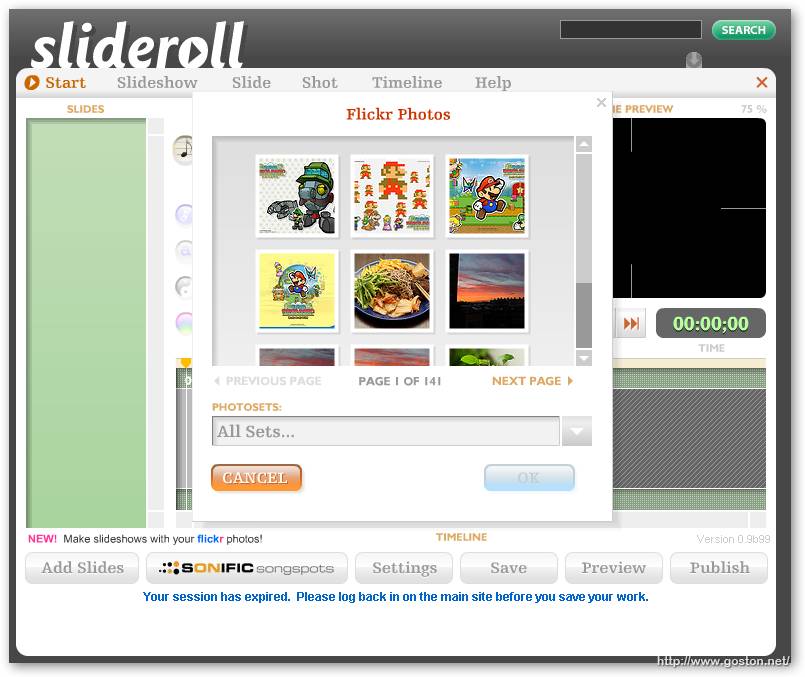
我選擇匯入 Flickr 相片, 只要把想加到 Slideshow 的相片拉到左邊「SLIDES」的地方即可:
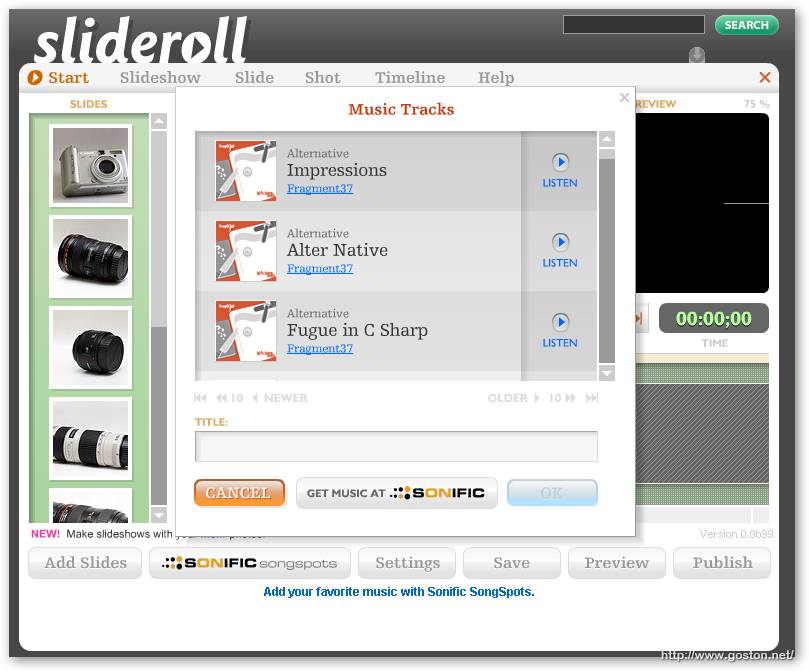
除了加入相片外, 還可以為相片加入背景音樂, 只是音樂數量不多就是了 (不知付費會員的選擇會不會多些):
然後只要將「SLIDES」中的相片依想要的順序拉到下面的「TIMELINE」處, 就可以完成製作:
下面是我做出來的 Demo:

有興趣的可以去玩玩。

相關連結:

Entry Filed under: 軟體介紹, 電腦軟體

post to del.icio.us  post to MyShare  post to HEMiDEMi  post to funP

2 Comments Add your own

  • 1. lionsyy  |  2007/08/11 16:54 | 回覆

    code要如何修改才能將slideroll放在文章置中的位置

    Using Mozilla Firefox Mozilla Firefox 2.0.0.6 on Windows Windows XP
  • 2. goston  |  2007/08/11 20:02 | 回覆

    @lionsyy
    將它提供的語法貼在文章中用 HTML 的 center tag 包住就可以了…

    Using Mozilla Firefox Mozilla Firefox 2.0.0.6 on Windows Windows XP

Leave a Comment

Required

Required, hidden

Some HTML allowed:
<a href="" title=""> <abbr title=""> <acronym title=""> <b> <blockquote cite=""> <cite> <code> <del datetime=""> <em> <i> <q cite=""> <strike> <strong>

Trackback this post  |  Subscribe to the comments via RSS Feed


Donate Me

Related Posts

Recent Posts

Recent Comments