[新奇] 用 Photoshop 走迷宮


2007/06/25 15:05 3,666Views


利用 Photoshop 走迷宮的有趣應用…

首先, 用「迷宮產生器」產生一個迷宮, 並將產製出來的迷宮存下來。下圖是我用來示範的迷宮, 沒有很大, 但看得我眼都花了:


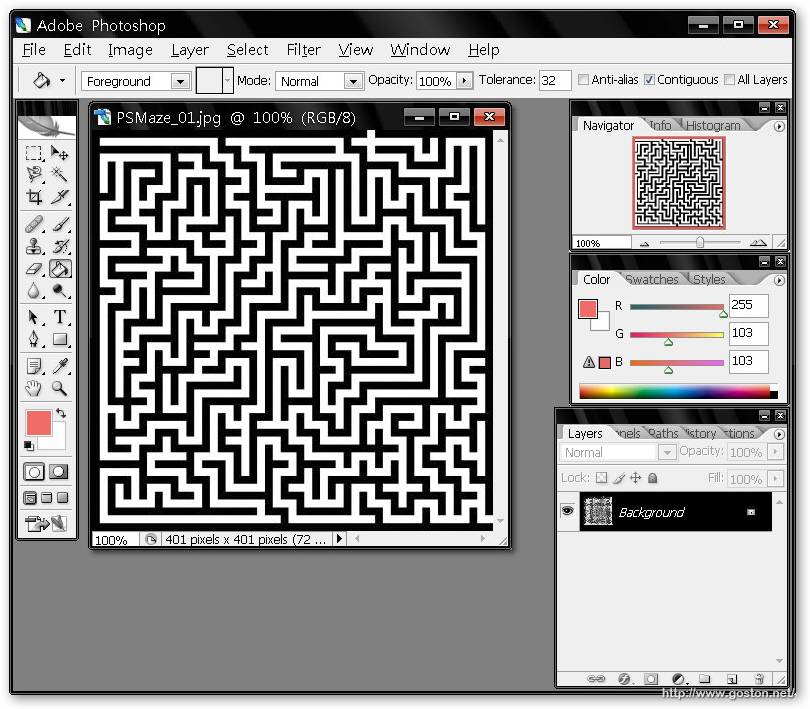
接著用 Photoshop 開啟剛剛產製的迷宮:
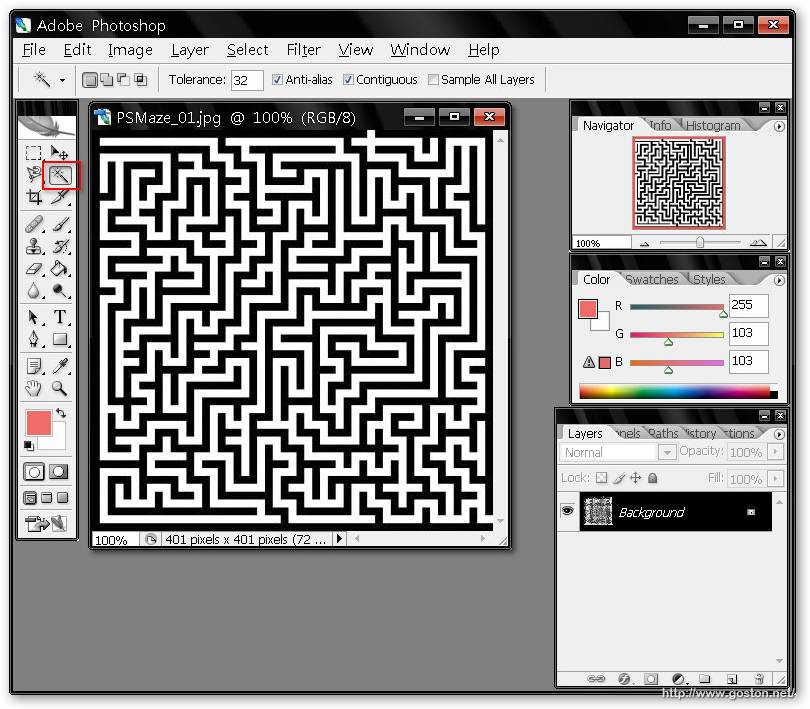
選擇「魔術棒」工具:
對著迷宮「牆」的部份點一下:
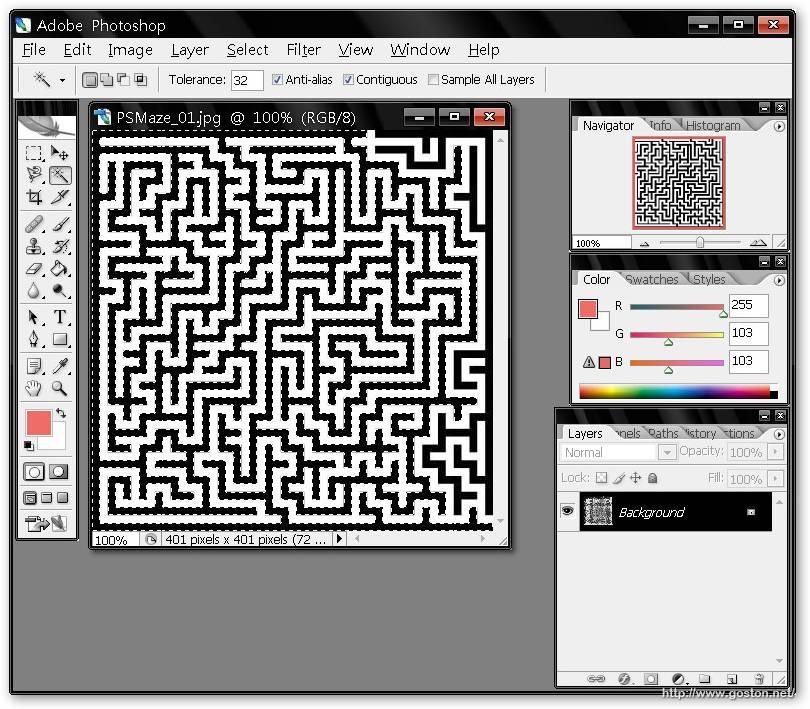
選擇「選取區」→「修改」→「擴展」:
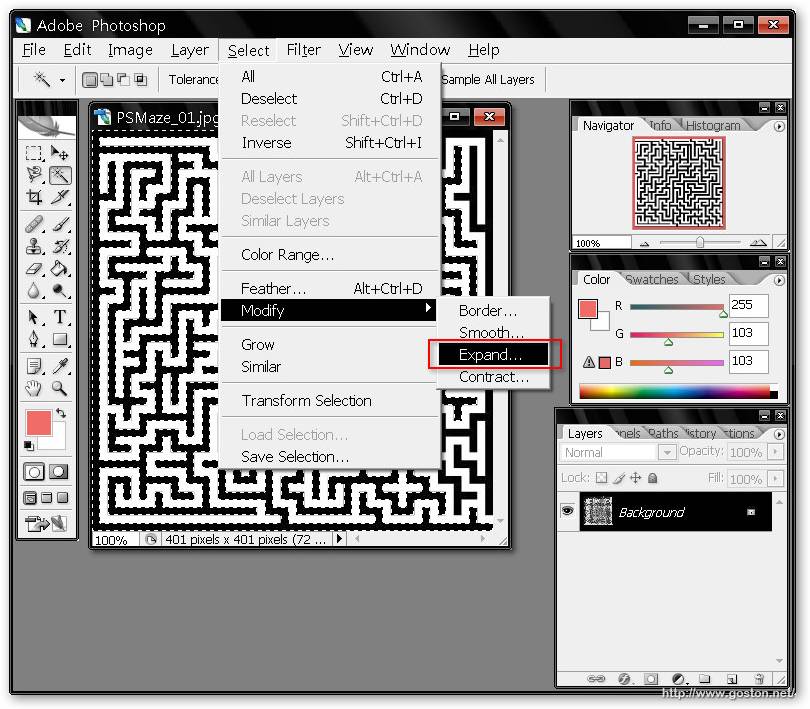
於出現的對話框中輸入 3 到 5 間的數值:
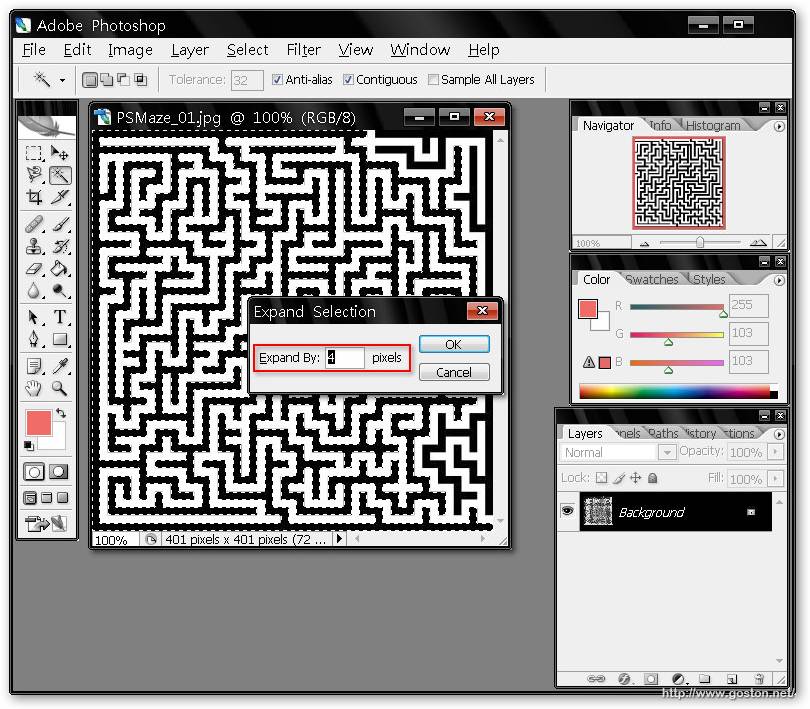
接著新增一個圖層:
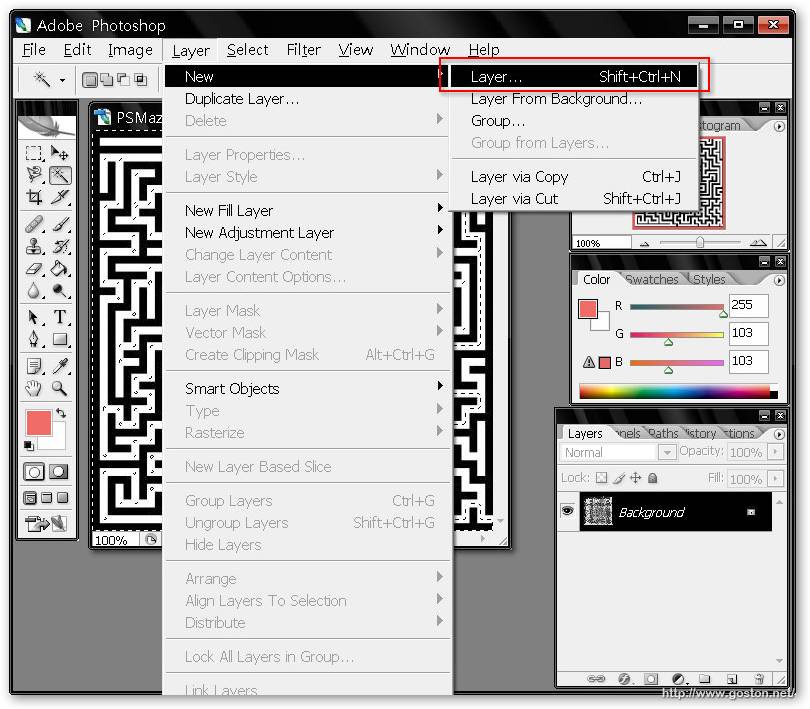
選擇「填充工具」, 並選定一個比較醒目的填充色彩:
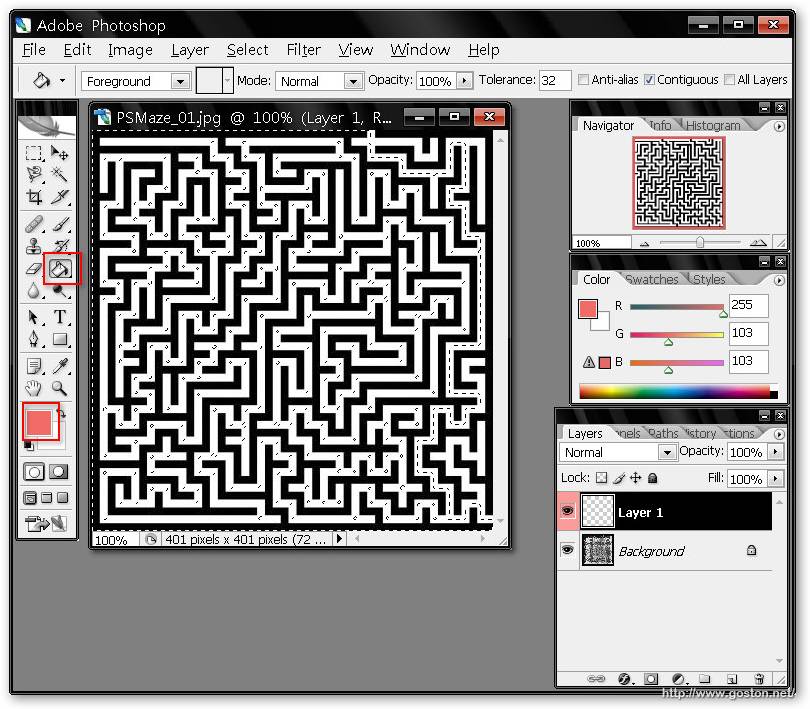
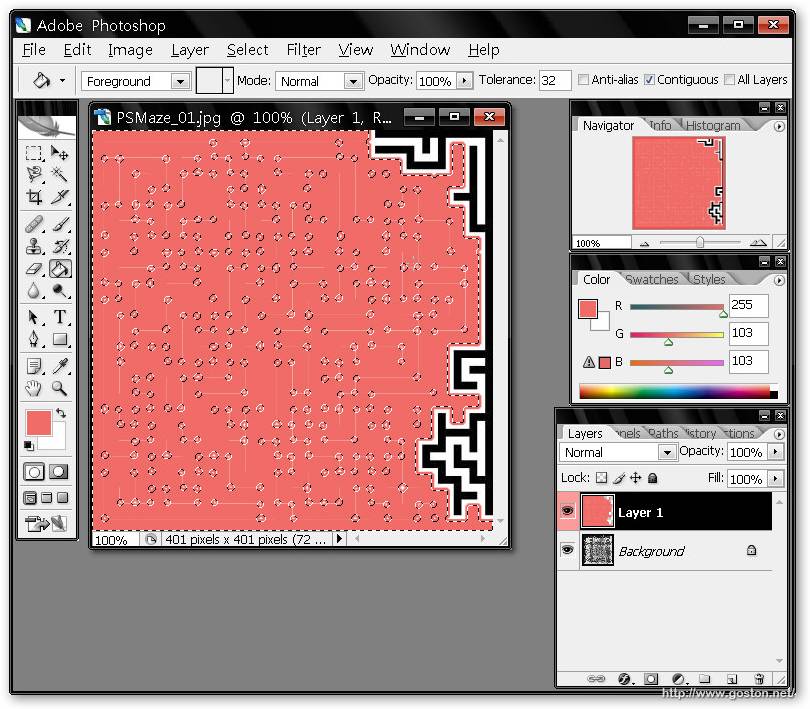
對著所圈選的範圍點一下:
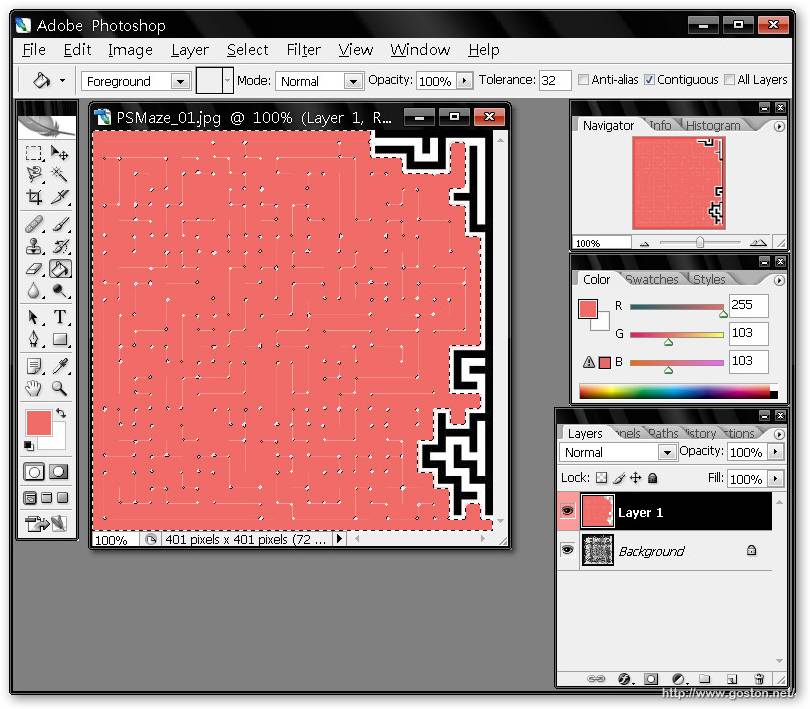
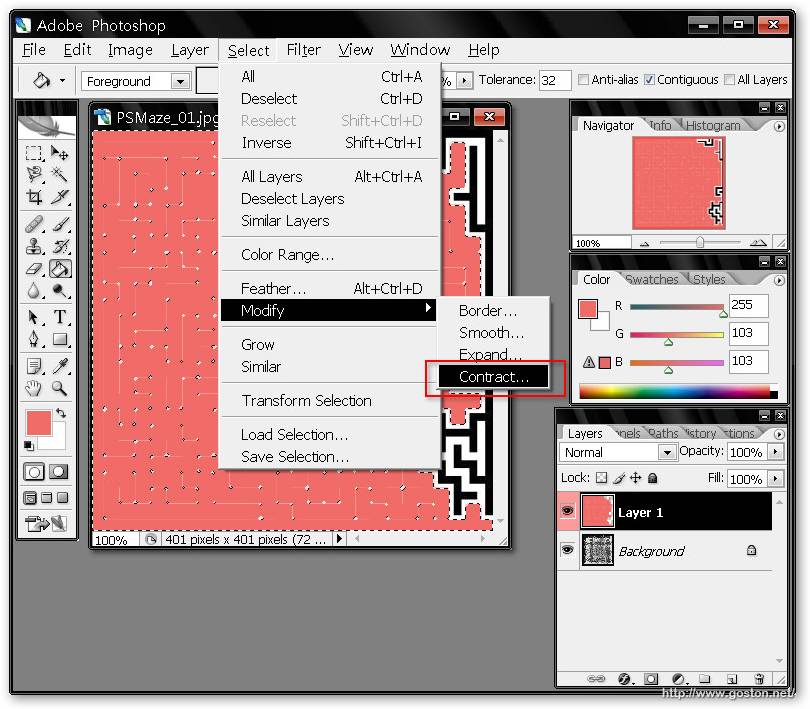
選擇「選取區」→「修改」→「收縮」:
於出現的對話框中輸入 2 到 3 間的數值:
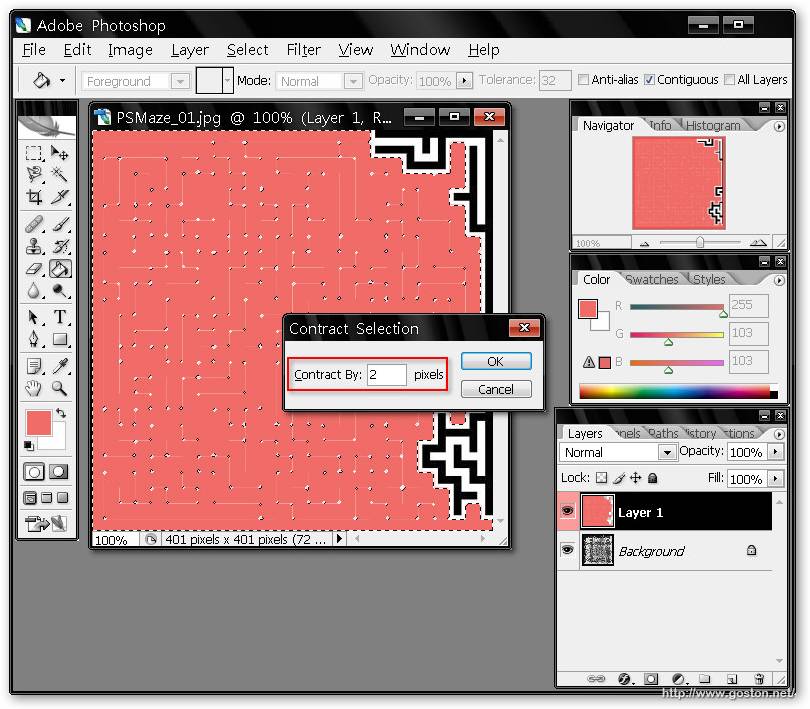
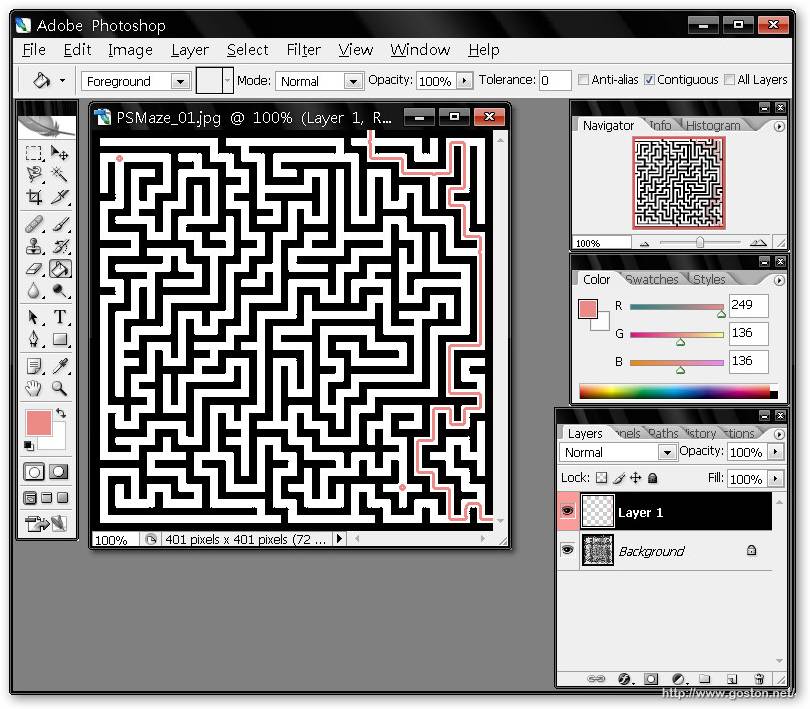
離開對話框後, 按下鍵盤上的「Delete」鍵:

就可以發現迷宮的路徑畫出來囉!

雖然很有趣, 但用這種方法走迷宮就不好玩了啊! 呵呵…

延伸閱讀:

相關連結:

Technorati Tags: ,

Entry Filed under: 新奇趣事, 日常生活

post to del.icio.us  post to MyShare  post to HEMiDEMi  post to funP

5 Comments Add your own

  • 1. Viewfinder  |  2007/06/25 22:54 | 回覆

    終於搞懂為什麼可以找出路來了
    原來迷宮就是這麼一回事
    就像一條河的兩岸永遠不相接觸一樣

    Using Mozilla Firefox Mozilla Firefox 2.0.0.4 on Windows Windows XP
  • 2. goston  |  2007/06/25 23:03 | 回覆

    @Viewfinder
    是呀! 呵呵…

    Using Mozilla Firefox Mozilla Firefox 2.0.0.4 on Windows Windows XP
  • 3. avdio  |  2007/06/26 02:49 | 回覆

    你好~本站於本次舉辦投票,希望你過去參加投票

    影片網址
    http://avdio.blogspot.com/2007/06/miraculous-frame.html

    看完影片之後票選最有創意的神奇相框?趕快找朋友來投票吧!

    如何投票?1.進入以下投票網址 選你要的選項,2.按下vote!
    http://nupolls.com/snippet/34155/

    如果願意幫忙的話,請在你的網站上宣傳一下 歡迎取用

    Using Internet Explorer Internet Explorer 6.0 on Windows Windows XP
  • 4. avdio  |  2007/06/26 03:08 | 回覆

    對了

    可以跟你交換連結嗎?

    我已經我網站右側 先放上你的連結

    網站簡介

    名稱:AVdio。摩庫影音基地
    網址:http://avdio.blogspot.com
    簡介:給我影片..其餘免談.. 百視達租不到..那就進來找吧

    Using Internet Explorer Internet Explorer 6.0 on Windows Windows XP
  • 5. dale  |  2008/01/22 03:57 | 回覆

    好帥氣的解法!@_@

    Using Internet Explorer Internet Explorer 7.0 on Windows Windows XP

Leave a Comment

Required

Required, hidden

Some HTML allowed:
<a href="" title=""> <abbr title=""> <acronym title=""> <b> <blockquote cite=""> <cite> <code> <del datetime=""> <em> <i> <q cite=""> <strike> <strong>

Trackback this post  |  Subscribe to the comments via RSS Feed


Donate Me

Related Posts

Recent Posts

Recent Comments