[Flickr] 方便檢視原圖的 GM Script - Flickr Link Original Images


2007/12/13 09:47 1,550Views

最近由於趕案子, 所以天天過著昏天地暗、生不如死的日子, 不過還是得抽點時間寫寫 Blog … 雖然最近每篇都寫很短啦!

今天要介紹的是一個方便瀏覽「Flickr」原始圖片的「Greasmonkey」Script:「Flickr Link Original Images」。

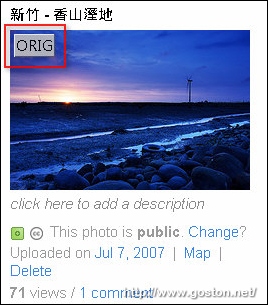
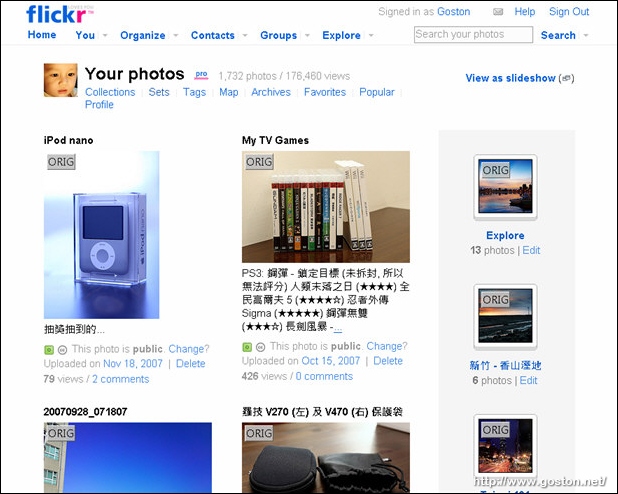
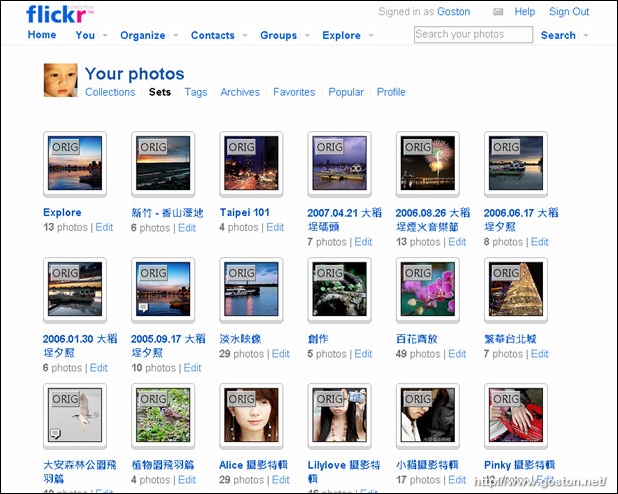
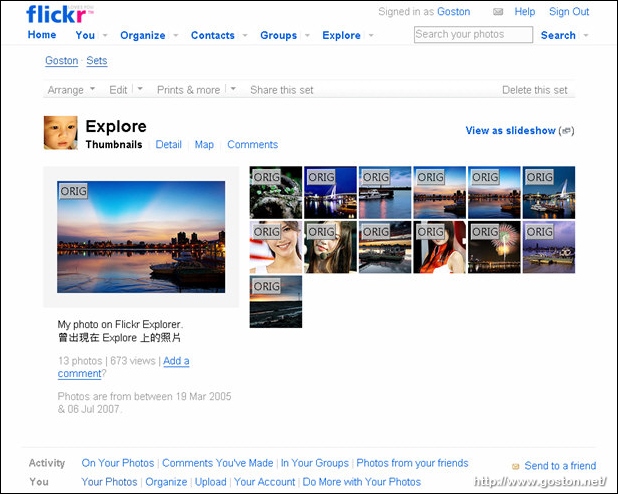
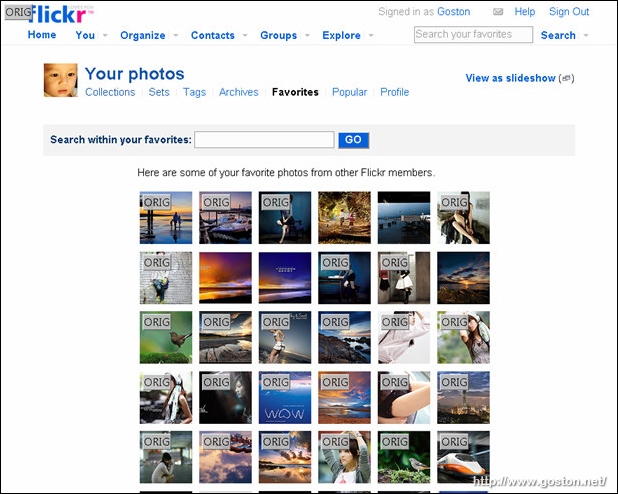
安裝好「Flickr Link Original Images」進入 Flickr 後, 便會在相片的縮圖上看到一個「ORIG」的按鍵, 點進去後就可以直接瀏覽該相片的原圖:

Photo Stream 頁面:
SET 頁面:
SET 明細頁面:
Favorites 頁面:
功能很簡單, 但卻很實用的一個 GM Script。

相關連結:

Technorati Tags: , ,

Entry Filed under: Flickr, 軟體介紹, 電腦軟體

post to del.icio.us  post to MyShare  post to HEMiDEMi  post to funP

6 Comments Add your own

  • 1. Bryan  |  2007/12/13 11:05 | 回覆

    感謝抽空分享,Goston會去拍車展嗎?XD

    Using Mozilla Firefox Mozilla Firefox 2.0.0.11 on Windows Windows XP
  • 2. goston  |  2007/12/13 11:07 | 回覆

    @Bryan
    車展可是喜歡美少女攝影的人的盛事啊… 我一定會排除萬難去一趙的啊! (我想拍林葦茹)

    Using Mozilla Firefox Mozilla Firefox 2.0.0.11 on Windows Windows XP
  • 3. Ramius  |  2007/12/13 11:31 | 回覆

    不知道理應看不到原圖的免費flickr用戶用這個script會是怎樣?

    Using Opera Opera 9.50 on Windows Windows XP
  • 4. 星子  |  2007/12/20 10:08 | 回覆

    但ORIG那個鈕看起來好礙眼…\_/

    Using Mozilla Firefox Mozilla Firefox 2.0.0.11 on Windows Windows XP
  • 5. goston  |  2007/12/20 10:31 | 回覆

    @星子
    可以自己把 style 改成自己喜歡的樣子啊… :D

    Using Mozilla Firefox Mozilla Firefox 2.0.0.11 on Windows Windows XP
  • 6. 星子  |  2007/12/20 14:44 | 回覆

    G大,
    我是遜腳啦!改code的事能省則省…:P

    Using Mozilla Firefox Mozilla Firefox 2.0.0.11 on Windows Windows XP

Leave a Comment

Required

Required, hidden

Some HTML allowed:
<a href="" title=""> <abbr title=""> <acronym title=""> <b> <blockquote cite=""> <cite> <code> <del datetime=""> <em> <i> <q cite=""> <strike> <strong>

Trackback this post  |  Subscribe to the comments via RSS Feed


Donate Me

Related Posts

Recent Posts

Recent Comments