[FF] 在側邊欄輕鬆存取 Google Docs 文件


2008/03/10 10:15 1,093Views


如果你和我一樣是個「Google Docs」的愛用者, 那麼就一定要玩玩「gDocsBar」這個 Firefox 擴充套件。
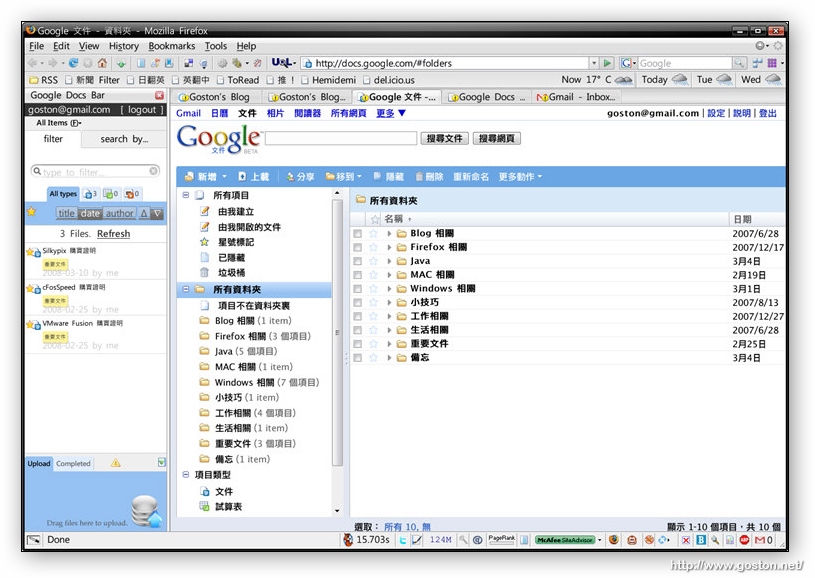

就像它的名字一樣,「gDocsBar」可以讓使用者在 Firefox 的側邊欄輕鬆的存取放在「Google Docs」上的文件, 並且只要將文件拖拉到「gDocsBar」下半部的上傳區中, 就可以直接將文件上傳到「Google Docs」。
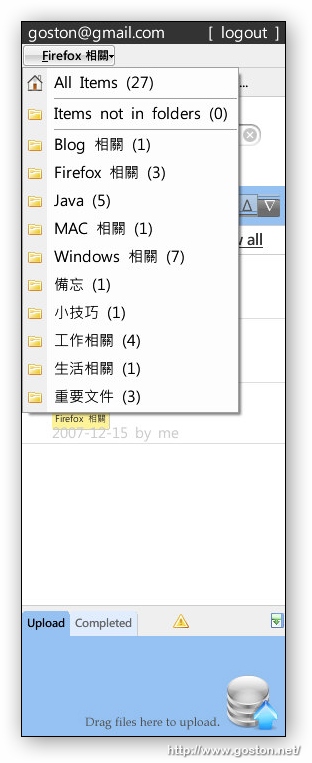
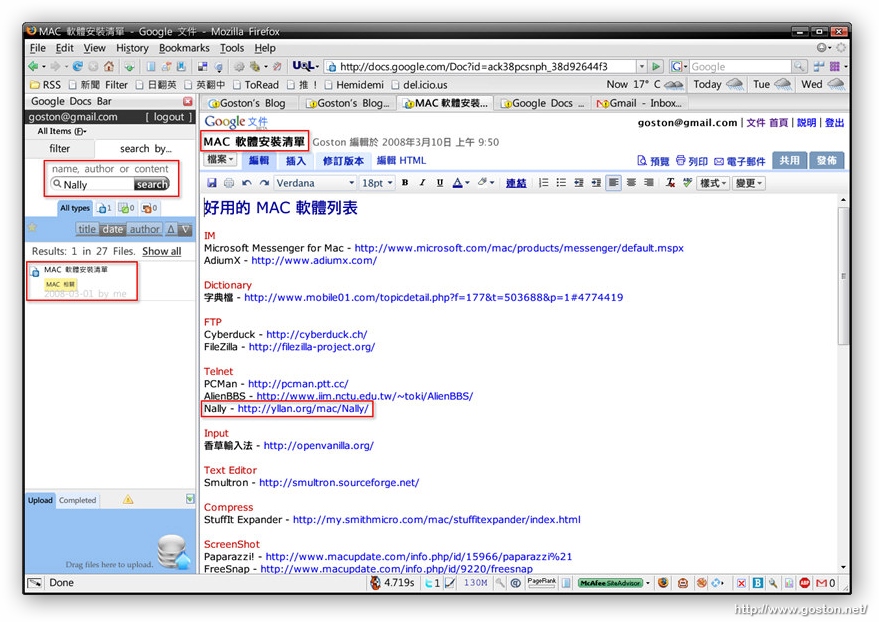
不止如此,「gDocsBar」除了能利用過濾條件來快速篩選文件外, 也能直接對文件內文做搜尋, 快速找出特定文件:
如果你時常需要存取放在「Google Docs」的文件, 不妨試試這個方便的擴充套件。

相關連結:

Technorati Tags: , , , ,

Entry Filed under: 軟體介紹, 電腦軟體

post to del.icio.us  post to MyShare  post to HEMiDEMi  post to funP

3 Comments Add your own

  • 1. vodka  |  2008/03/11 01:28 | 回覆

    謝謝你喔 :)
    這東西真的很讚!

    Using Mozilla Firefox Mozilla Firefox 2.0.0.12 on Windows Windows XP
  • 2. mong  |  2008/03/13 20:52 | 回覆

    我沒辦法安裝,不知道是不是mac版firefox的關系呢?

    Using Mozilla Firefox Mozilla Firefox 2.0.0.12 on Mac OS Mac OS X
  • 3. goston  |  2008/03/13 22:06 | 回覆

    @mong
    gDocsBar 我在 Mac 上試過, 可以正常安裝與使用哦…

    Using Mozilla Firefox Mozilla Firefox 2.0.0.12 on Windows Windows Vista

Leave a Comment

Required

Required, hidden

Some HTML allowed:
<a href="" title=""> <abbr title=""> <acronym title=""> <b> <blockquote cite=""> <cite> <code> <del datetime=""> <em> <i> <q cite=""> <strike> <strong>

Trackback this post  |  Subscribe to the comments via RSS Feed


Donate Me

Related Posts

Recent Posts

Recent Comments