剛剛在亂晃時發現了一個好東西:「My Exposé」。
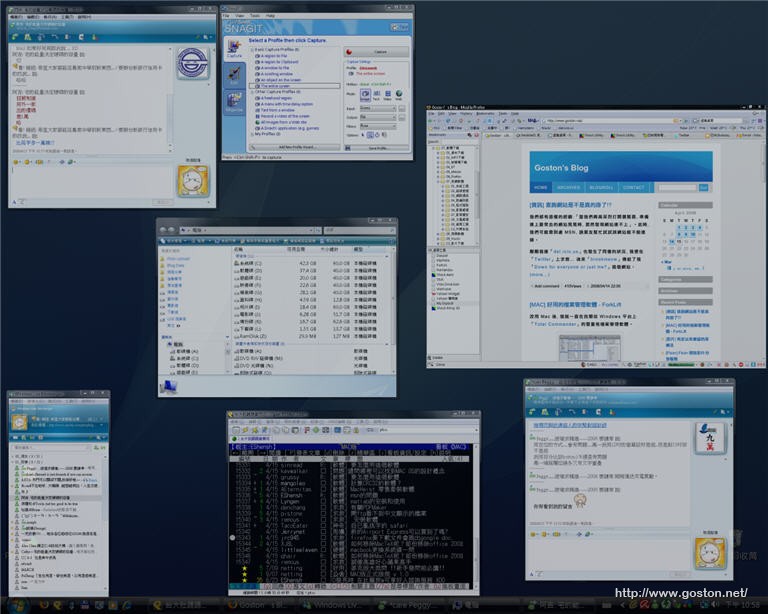
這套軟體是我目前所試過模仿 Mac OS「Exposé」效果的軟體中表現最好、效能最令人滿意的一個 (付費軟體我沒試過)。
軟體預設是將滑鼠移到畫面左上角或按「
F9
」就能啟動「Exposé」來切換視窗, 不過大家可以自己定義喜歡的啟動方式。
用「Exposé」來切換視窗是很有效率的方式, 而現在這不再是 Mac 使用者的獨享福利, 在 Windows 平台總算也有一套好用的「Exposé」軟體了! 有興趣的人快試試吧!
相關連結:
[tags]Mac, Windows, Exposé, My Exposé[/tags]
推薦 Switcher (也是免費)
設定項目較多 容易依自己喜好調校~
且功能更多 執行起來也比較穩(我覺得啦~)
Switcher 只有vista才能用,這大概是最大的缺點吧
有一個較Topdesk
@clydeli
試了一下, Swither 的確好用! 感謝介紹!!
裝了之後都會出現..
http://img135.imageshack.us/img135/313/sshot1bw4.jpg
@George
My Exposé 無法在 XP 使用, 它是 for Vista 的軟體…
我的是vista premium 裝了以後都會說
myexposelauncher 已經停止運作…
@Ting
那就試試 Switcher 吧