[資訊] 我的 Google Docs 終於可以離線編輯啦!!


2008/04/28 17:25 1,737Views


等了好久, 我的「Google Docs」終於可以離線編輯了。
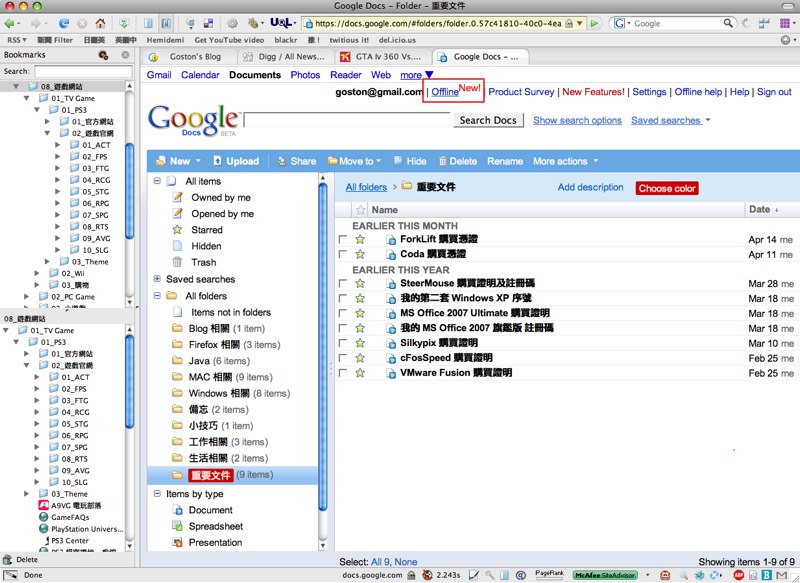
要使用這項功能必須先安裝「Google Gears」, 這個軟體對於有在使用「Google Reader」離線閱讀的人應該不會太陌生。

裝好「Google Gears」後進到「Google Docs」看到如上圖右上角的「Offline」點下去,就可以進行離線編輯的授權。

「Google Gears」會將「Google Docs」的內容同步一份到本機中:
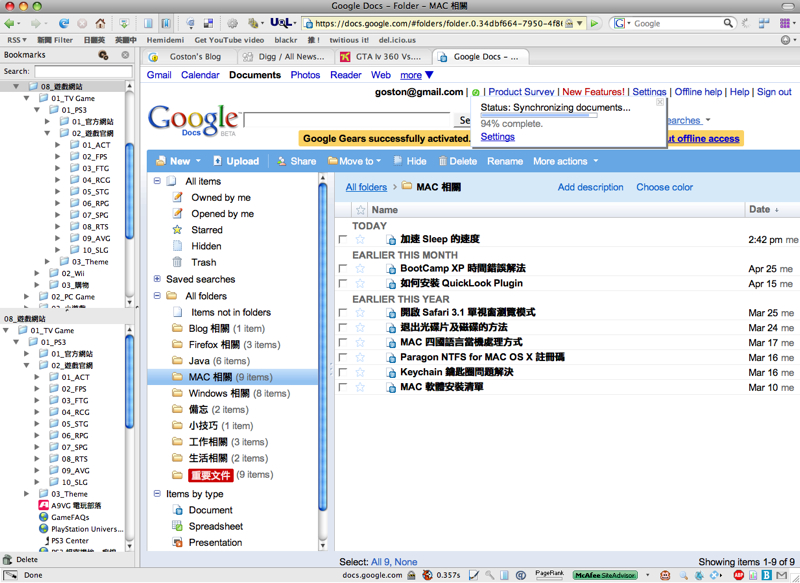
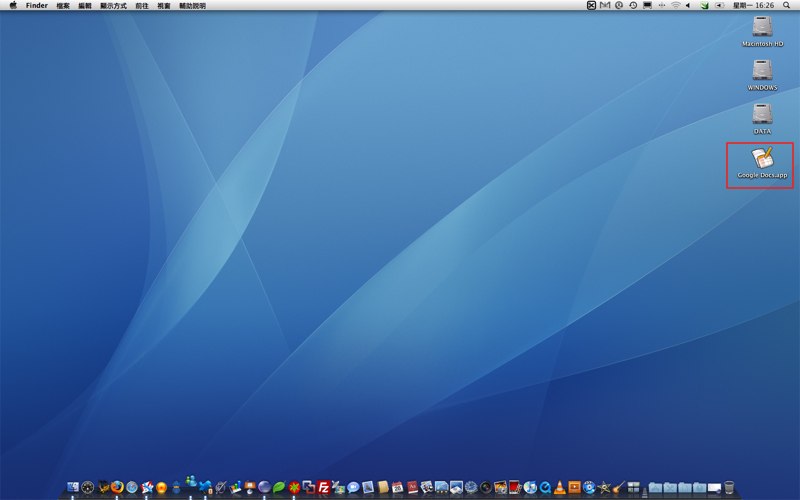
並且會在同步完成後建立一個名為「Google Docs」的應用程式, MAC 的使用者可以把這個程式拖進「應用程式」資料夾, 並在「Dock」上建一個捷徑方便存取:
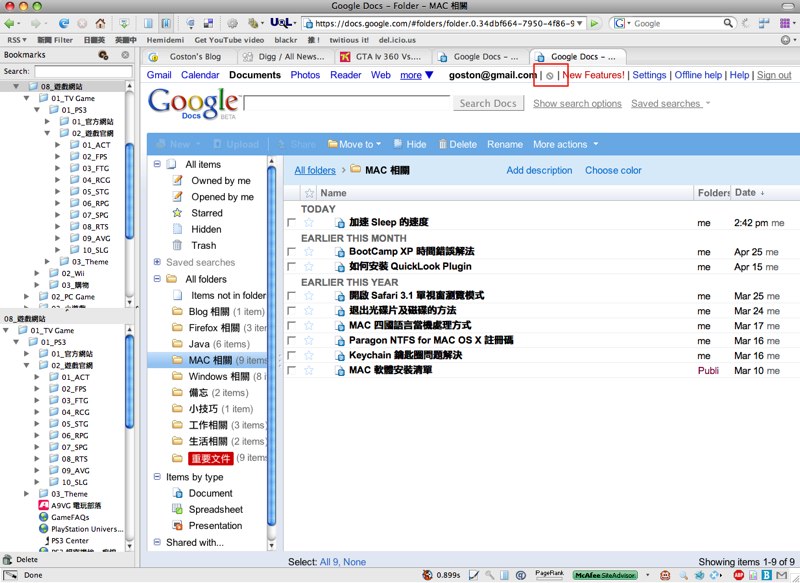
為了試驗離線編輯的功能, 我把電腦的網路線拔掉, 然後點選剛剛「Google Gears」所建的「Google Docs」應用程式, 接著便會開啟瀏覽器並進入「Google Docs」的離線編輯模式。大家可以看到下圖右上角紅線框起處的圖示, 這表示是正處在離線狀態:
隨便開啟一份文件, 可以看到目前是處於離線編輯模式的警語:
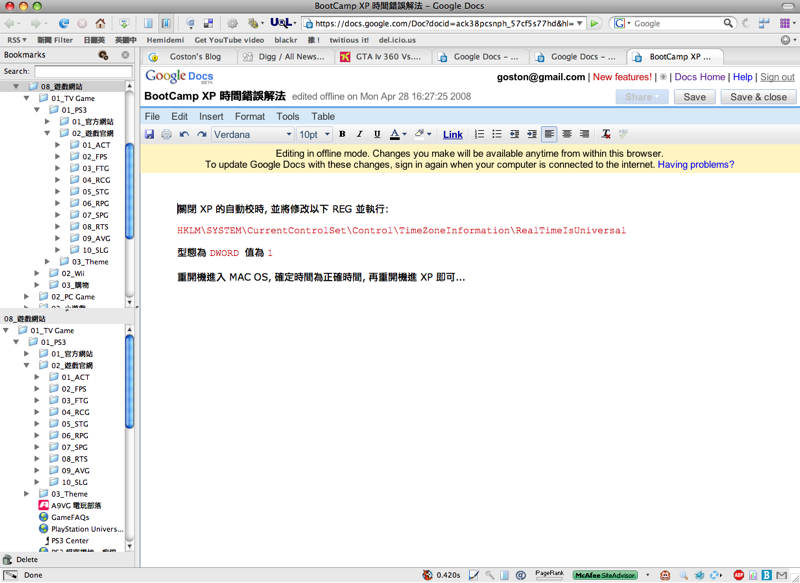
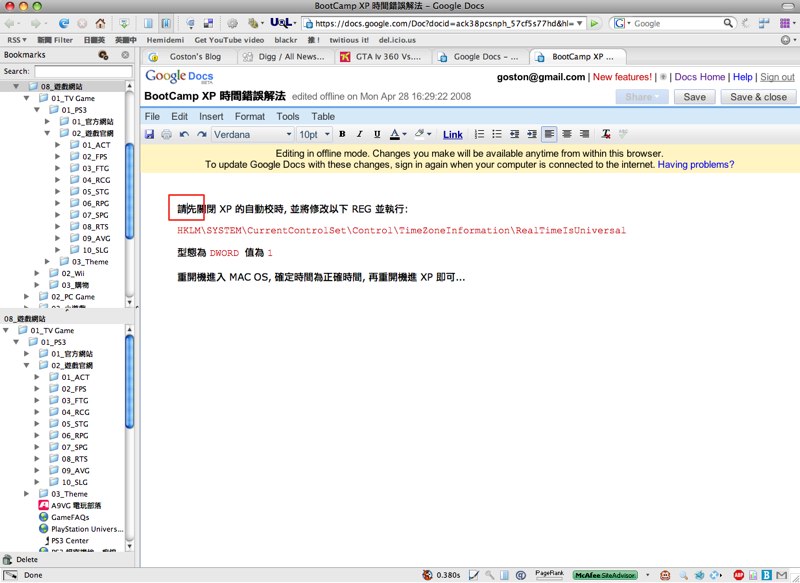
接著我隨便打兩個字, 然後將文件存檔並關閉瀏覽器:
接下來插上網路線, 連上「Google Docs」網站,「Google Docs」會將有離線編輯過的檔案標示出來, 並開始同步, 同步完成後點進剛剛所編輯的文件確認一下:
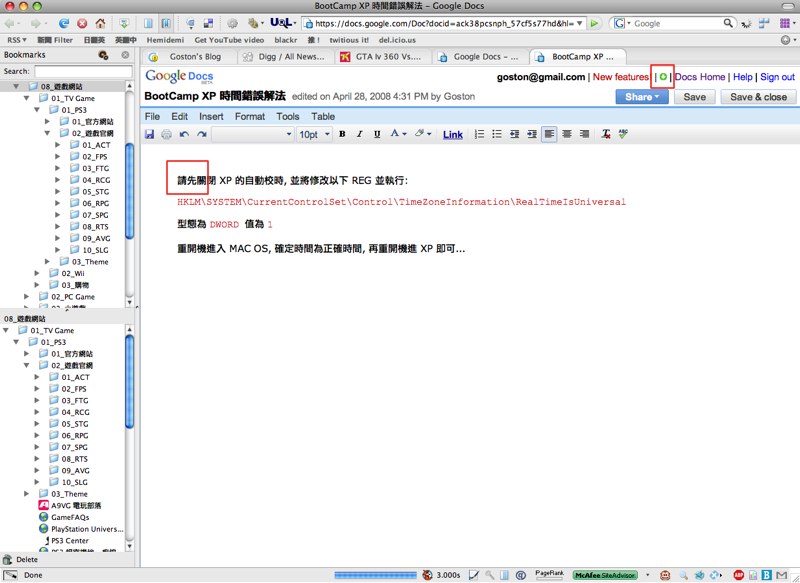
嘿嘿! 離線時所編輯的內容正確無誤的同步啦! 有了這個好用的功能, 我就不用怕「XXX」的網路太爛, 隨時都可以存取我在「Google Docs」的文件啦!

相關連結:

Technorati Tags: ,

Entry Filed under: 網際網路, 資訊新知, 資訊科技

post to del.icio.us  post to MyShare  post to HEMiDEMi  post to funP

5 Comments Add your own

  • 1. George  |  2008/04/28 21:15 | 回覆

    我是用ThinkFree Office
    把MS Office & Star Suite取代了^^

    Using Mozilla Firefox Mozilla Firefox 3.0b5 on Windows Windows XP
  • 2. goston  |  2008/04/29 15:13 | 回覆

    @George
    ThinkFree Office 很強大,但速度令我受不了,所以我後來都改用精簡好用的 Google Docs 來記錄文件了…

    Using Mozilla Firefox Mozilla Firefox 2.0.0.14 on Mac OS Mac OS X
  • 3. George  |  2008/04/29 18:16 | 回覆

    +1
    快速啟動就要70M
    Sun的只要1~20M

    但Thinkfree小

    Using Mozilla Firefox Mozilla Firefox 3.0b5 on Windows Windows XP
  • 4. emma  |  2008/04/30 03:59 | 回覆

    路過你的blog
    發現你也是google docs 的愛好者 提供了很多豐富有用的資訊
    因為我是初學者
    想要請問一下 你知不知道 安插 gadget motion chart 之後 怎樣才能只把motion chart 放到blog 或presentation software 上呢?
    謝謝

    Using Internet Explorer Internet Explorer 6.0 on Windows Windows XP
  • 5. goston  |  2008/04/30 09:32 | 回覆

    @emma
    不好意思,我 Google Doc 只有用它 Document 的部份,試算表和簡報的功能沒在用,所以可能無法幫到你… 歹勢啦!

    Using Mozilla Firefox Mozilla Firefox 2.0.0.14 on Mac OS Mac OS X

Leave a Comment

Required

Required, hidden

Some HTML allowed:
<a href="" title=""> <abbr title=""> <acronym title=""> <b> <blockquote cite=""> <cite> <code> <del datetime=""> <em> <i> <q cite=""> <strike> <strong>

Trackback this post  |  Subscribe to the comments via RSS Feed


Donate Me

Related Posts

Recent Posts

Recent Comments