繼之前介紹的「Auto Hide Bookmarks Toolbar Until Hovered Over」後, 今天我要再介紹一個小尺吋螢幕 Firefox 使用者的福音, 能自動收合隱藏「Firefox」側欄的擴充套件:「Sidebar Autohide」。
這個擴充套件會自動將 Firefox 的側欄收合隱藏起來:
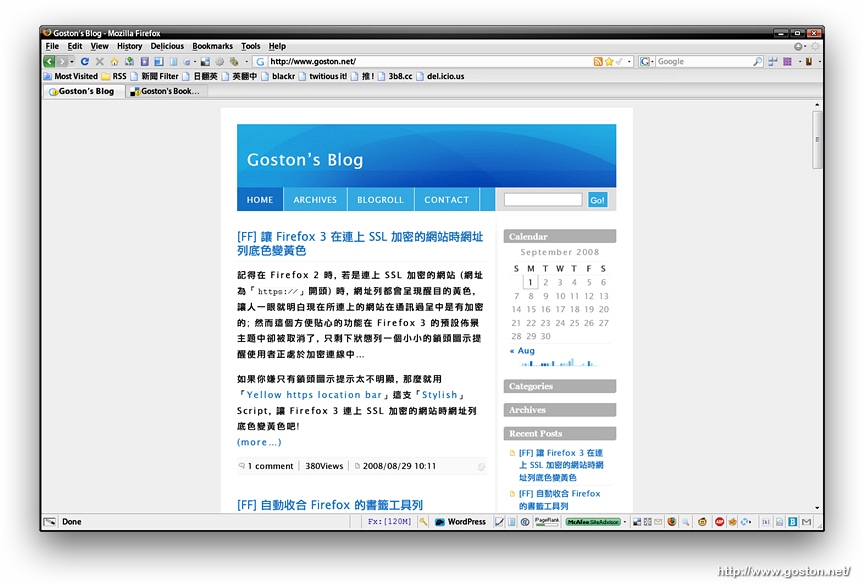
等到要用時只要將滑鼠游標移到 Firefox 視窗的左側邊緣, 側欄就會自動彈出來:
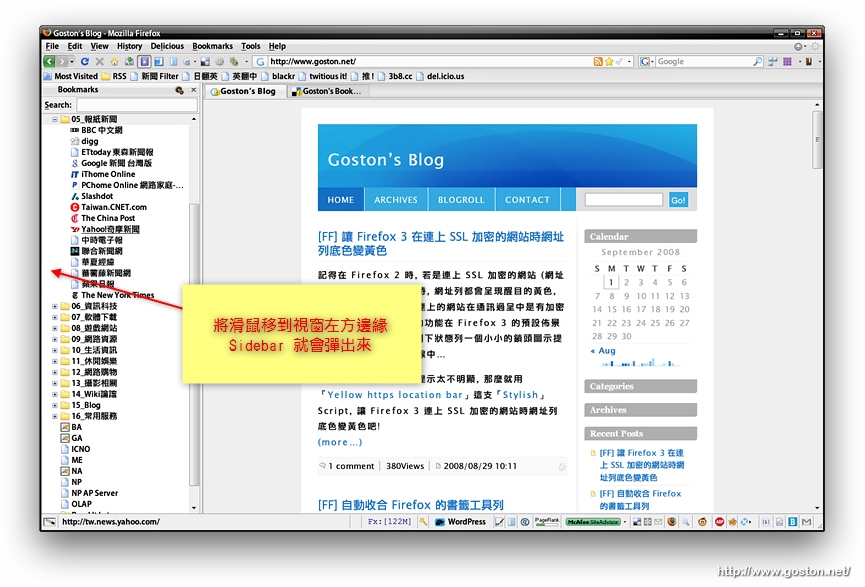
另外, 這個套件還允許使用者依個人使用習慣設置收合感應區的大小及自動收合的延遲時間。
其實我之前也試過幾個「Stylish」的 Script (這個、這個和這個), 不過效果都沒這個擴充套件好, 有需要的人不妨裝來試試。
相關連結:
[tags]Sidebar Autohide, Firefox, Extension[/tags]
Cool!
https://addons.mozilla.org/en-US/firefox/addon/8257
@J
這套件棒!!
不過,有人提出擔心安全問題,因為需要把 password 交到 xoopit server,圖片之類的又會存到它 server…
Google Chrome
http://briian.com/?p=5723
Screenshot:
http://blogoscoped.com/archive/2008-09-02-n72.html
漫畫:
http://kara.allthingsd.com/20080901/heres-the-google-chrome-browser-comic-book-hey-microsoft-kaa-pow/
@J
嗯… 我裝完後發現要 Google 帳號及密碼後便將它移除了…
至於 Google 的那套瀏覽器據說明天會釋出 Beta 版, 不過個人沒啥興趣就是了…
那漫畫介紹很吸引呀!
現在可下了:
http://www.google.com.hk/chrome