[軟體] 老師上課及上班族簡報的好幫手 - Pointofix


2008/09/13 00:15 1,292Views


Pointofix」是一套適合老師上課或上班族進行簡報時使用的桌面塗鴉軟體。

「Pointofix」提供了多種不同的塗鴉工具供老師或主講者將說明時的重點直接在簡報或所操作的軟體上標示出來, 避免以往用滑鼠指半天台下聽眾仍找不到滑鼠指到哪的情況發生。

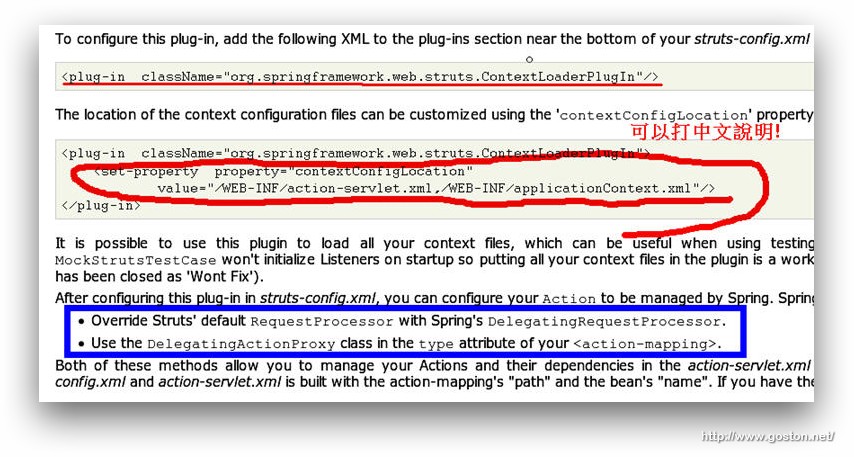
舉例來說: 在講解程式時, 老師可以透過「Pointofix」把程式的重點直接圈選出來, 這比用滑鼠在那指來指去更令學生明白:
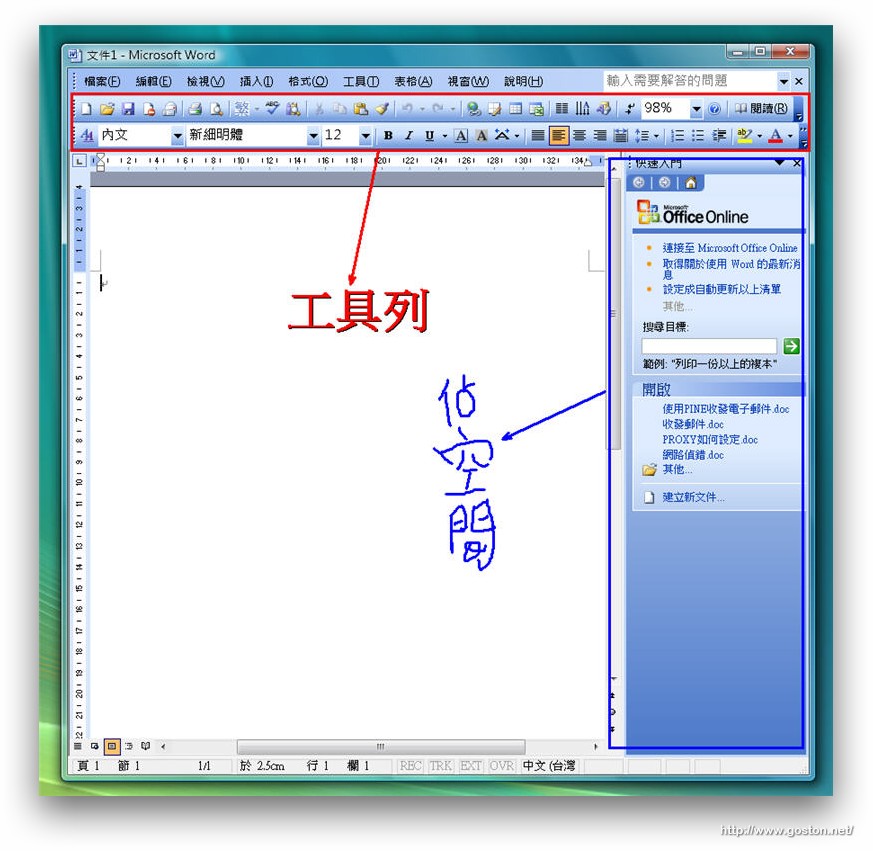
或是在教學生操作軟體時, 可以直接把該注意的地方框出來進行說明:
時常需要進行簡報或是為人師表的朋友可以試試這套軟體, 必能讓你在解說時事半功倍哦!

相關連結:

Technorati Tags:

Entry Filed under: 軟體介紹, 電腦軟體

post to del.icio.us  post to MyShare  post to HEMiDEMi  post to funP

3 Comments Add your own

  • 1. 老師上課及上班族&hellip  |  2008/09/13 10:24

    [...] 老師上課及上班族簡報的好幫手 - Pointofix 九月 13, 2008 Posted by e8401083 in 資訊教育. trackback 老師上課及上班族簡報的好幫手 - Pointofix [...]

    Using WordPress WordPress MU
  • 2. appleseed  |  2008/09/13 13:44

    使用mac的話有Highlight http://krugazor.free.fr/software/highlight/ 可以替代^^

    Using Safari Safari 525.20.1 on Mac OS Mac OS X
  • 3. Yukie  |  2008/12/30 16:28

    這種簡報輔助軟體還滿多種的,不過我覺得 pointofix 勝出的地方在於它可以打中文。

    以前用 ZoomIt,要在畫面上輸入中文就祇能一筆一筆慢慢畫。但是用 pointofix 可以直接輸入中文,這是很方便的一點。

    如果沒有輸入中文的需求,則似乎 ZoomIt 比較方便,可以都用快速鍵操作,而且不會有一個工作區擋在畫面上!:)

    http://edumeme.blogspot.com/2008/09/pointofix.html

    Using Mozilla Firefox Mozilla Firefox 3.0.3 on Windows Windows XP

Leave a Comment

Required

Required, hidden

Some HTML allowed:
<a href="" title=""> <abbr title=""> <acronym title=""> <b> <blockquote cite=""> <cite> <code> <del datetime=""> <em> <i> <q cite=""> <strike> <strong>

Trackback this post  |  Subscribe to the comments via RSS Feed


Donate Me

Related Posts

Recent Posts

Recent Comments