使用 Windows 的朋友一定常常遇到某些軟體因設計上的缺失, 因視窗不夠大導致內容有一大塊被擋住 (其實這是 Windows GUI 本身的問題), 偏偏軟體本身又不允許視窗的大小被調整, 造成了軟體使用上的不便。
今天介紹大家一個我在 PTT「EZsoft」討論區看到的好工具:「ResizeEnable」。
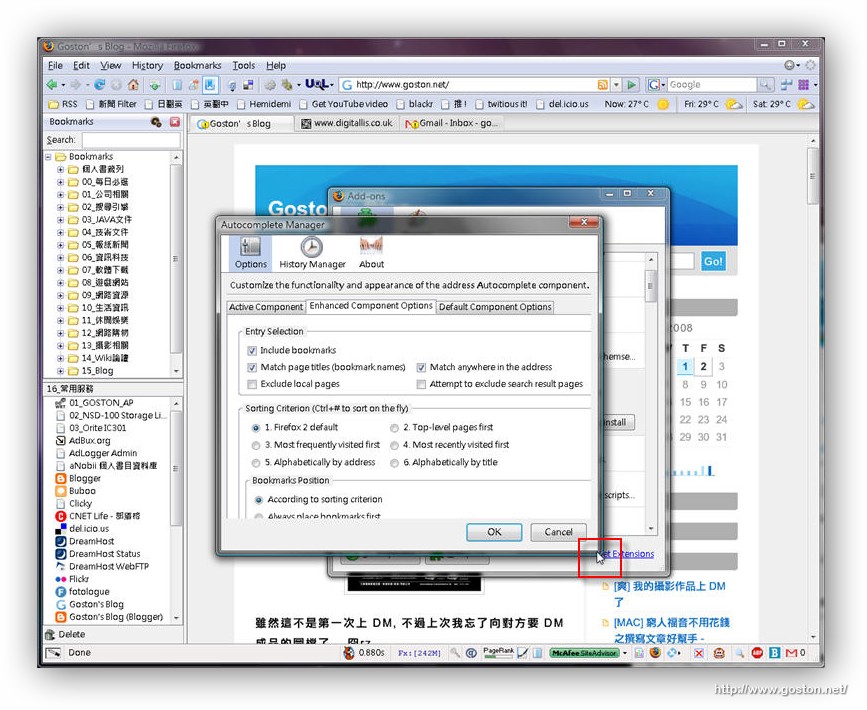
「ResizeEnable」能讓使用者輕易的調整 Windows 中被固定大小的視窗。例如下圖視窗中有一大塊內容因視窗太小而被擋住了, 但軟體本身卻又不提供視窗大小調整的功能:
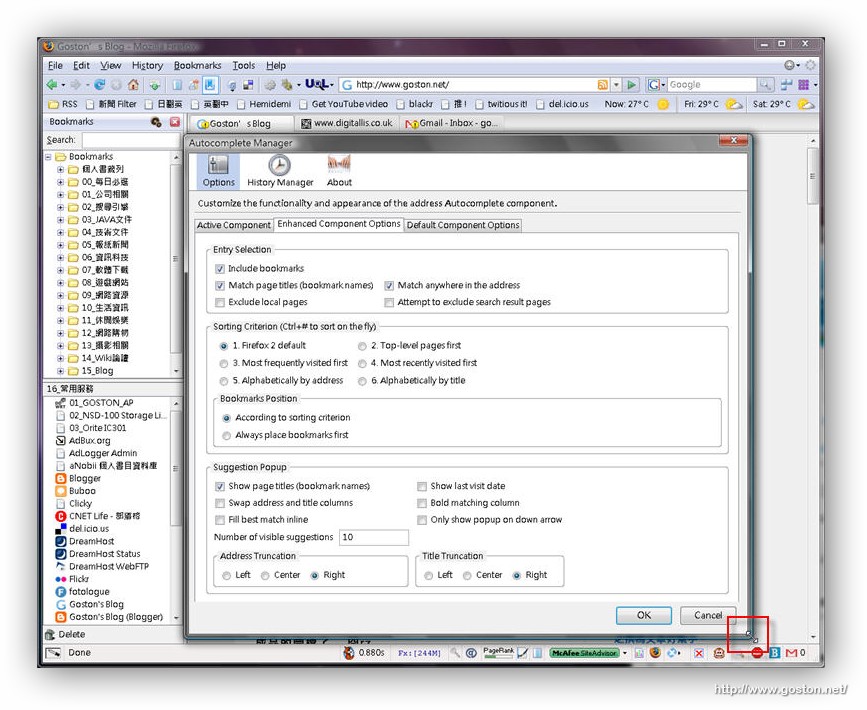
祭出「ResizeEnable」後, 可以發現原先不能調整大小的視窗也能調整大小了, 如此一來就不用再摸黑、靠直覺來設定軟體囉:
如何, 是不是相當方便好用?
建議大家可以直接建一個捷徑在 Windows 的啟動資料夾中, 如此一來就再也沒有視窗能擋住你的去路啦! 這實在是每個 Windows 使用者必備的軟體啊!
相關連結:
[tags]Windows, Utility, ResizeEnable[/tags]
相當方便好用, I like it.
有些視窗內容會隨著視窗打開而增大,這時要怎麼辦呢?
這時候,先打開該視窗,然後開啟ResizeEnableRunner,然後點一下本來內容被鎖定的視窗標題(一定要點)
在來就是關掉ResizeEnable(找不到嗎?在視窗右下角有他的小圖示),嘿嘿!
然後你就會發現視窗仍然可以拉大,但是—-視窗內的文間大小並不會隨著改變了!
這一種方式是不是很方便呢?
真的很方便
Thanks @.@
It is usefull and tiny tool .
Thanks again @