[軟體] 免費、簡易的 Windows 截圖軟體 – Snapper


2008/08/26 10:21 10,122 Views

Snapper」是一套功能簡單、易用的螢幕截圖軟體。

「Snapper」提供了整個畫面、某個視窗及特定選取範圍的截圖方式, 並且支援多螢幕環境, 可跨螢幕截取所需視窗。

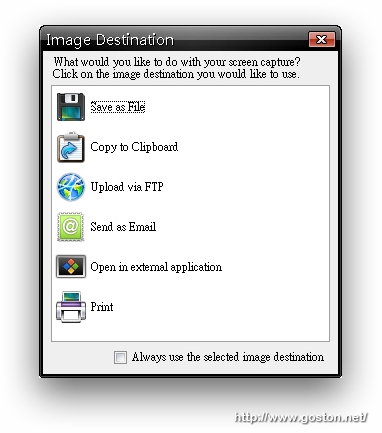
「Snapper」提供多種檔案運用方式, 使用者可以將截圖存成檔案、存到剪貼簿、直接上傳到 FTP、Email 給友人、以指定的應用程式開啟, 甚至是直接將螢幕截圖透過印表機印出來:
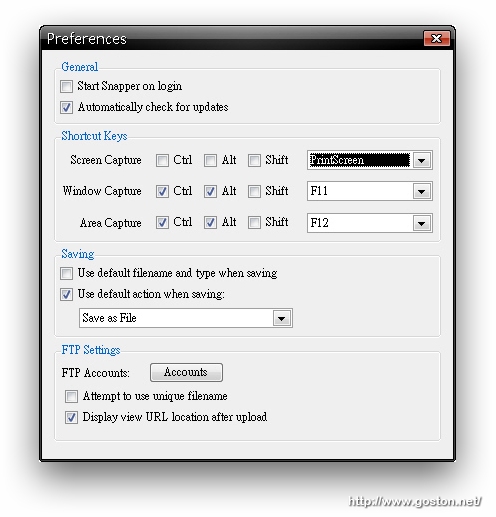
「Snapper」的偏好設定畫面相當簡潔, 使用者可以在此指定各種抓圖方式的抓圖熱鍵; 另外將螢幕截圖上傳到 FTP 的帳號密碼也是在這裏設定:
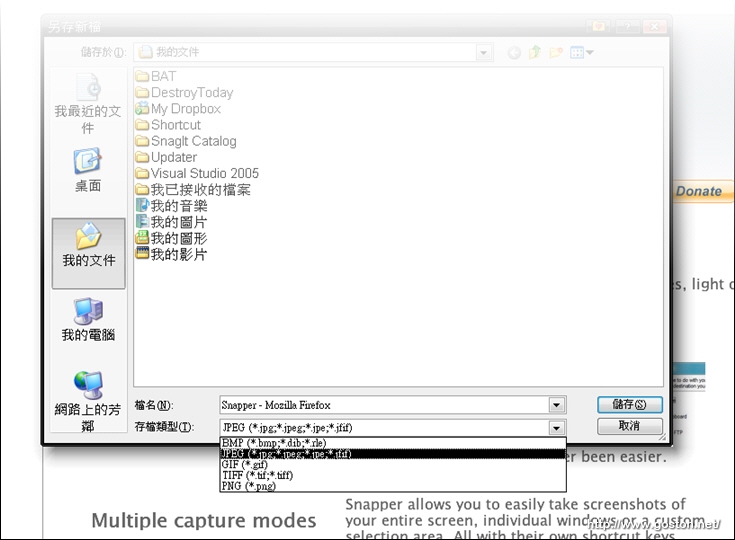
「Snapper」提供了幾種主要的圖檔格式, 使用者可以在存檔時指定:
如果你正在找一套簡單、易用的螢幕截圖軟體, 可以試試「Snapper」。

相關連結:

Technorati Tags: , ,

Entry Filed under: 軟體介紹, 電腦軟體

post to del.icio.us  post to MyShare  post to HEMiDEMi  post to funP

2 Comments Add your own

  • 1. kang  |  2009/03/04 11:12

    good

    Using Internet Explorer Internet Explorer 6.0 on Windows Windows XP
  • 2. 網站製作學習誌 &ra&hellip  |  2009/04/09 11:02

    [...] [軟體] 免費、簡易的 Windows 截圖軟體 – Snapper [...]

    Using WordPress WordPress 2.7.1

Leave a Comment

Required

Required, hidden

Some HTML allowed:
<a href="" title=""> <abbr title=""> <acronym title=""> <b> <blockquote cite=""> <cite> <code> <del datetime=""> <em> <i> <q cite=""> <strike> <strong>

Trackback this post  |  Subscribe to the comments via RSS Feed


Donate Me

Related Posts

Recent Posts

Recent Comments