[FF] 隨時掌握所瀏覽的網站在 Userscripts.org 有哪些 GM Script 可用 – Greasefire


2009/01/11 12:41 1,475 Views

今天要介紹「Firefox」的「Greasmonkey」擴充套件愛用者一個很方便的擴充套件:「Greasefire」。

「Greasefire」是款能在瀏覽網站時, 檢查目前瀏覽的網頁在「Userscripts.org」是否有可用的 GM Script 的擴充套件。

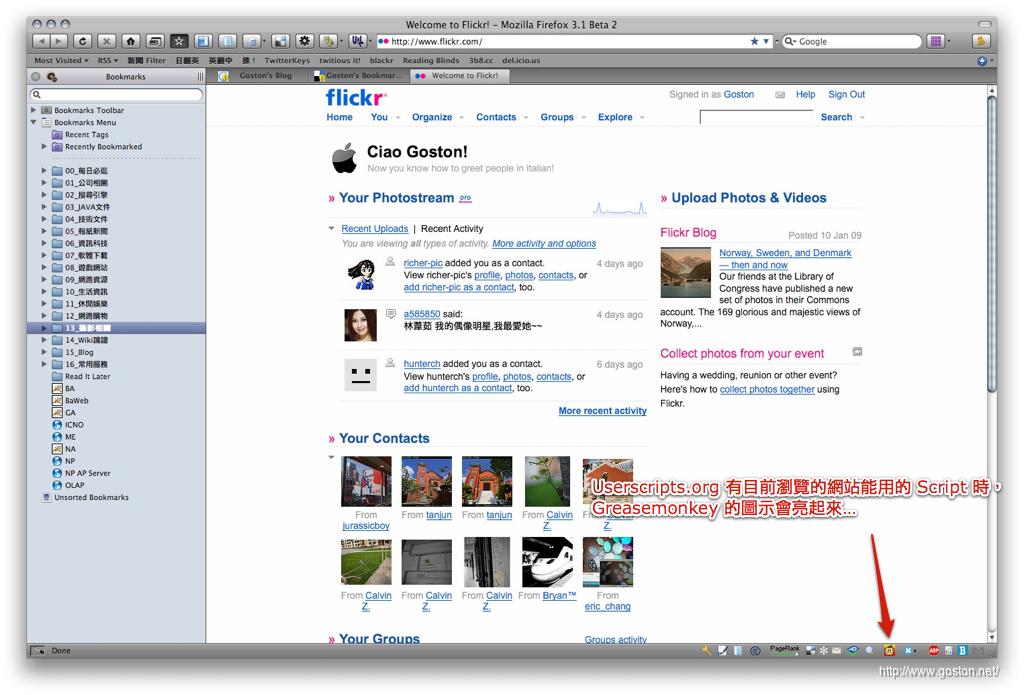
由於「Greasefire」必需配合「Greasmonkey」才能運作, 因此安裝「Greasefire」前得先安裝「Greasmonkey」才行。安裝完「Greasefire」後, 只要所瀏覽的網頁在「Userscripts.org」有可用的 GM Script,「Greasmonkey」的猴子狀態列圖示便會亮起來:
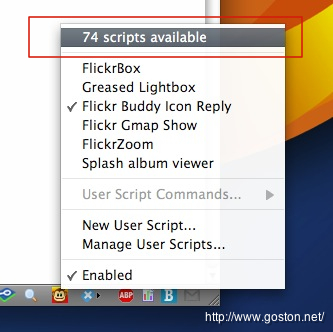
此時開啟「Greasmonkey」的選單, 便能看到有幾支 GM Script 可用:
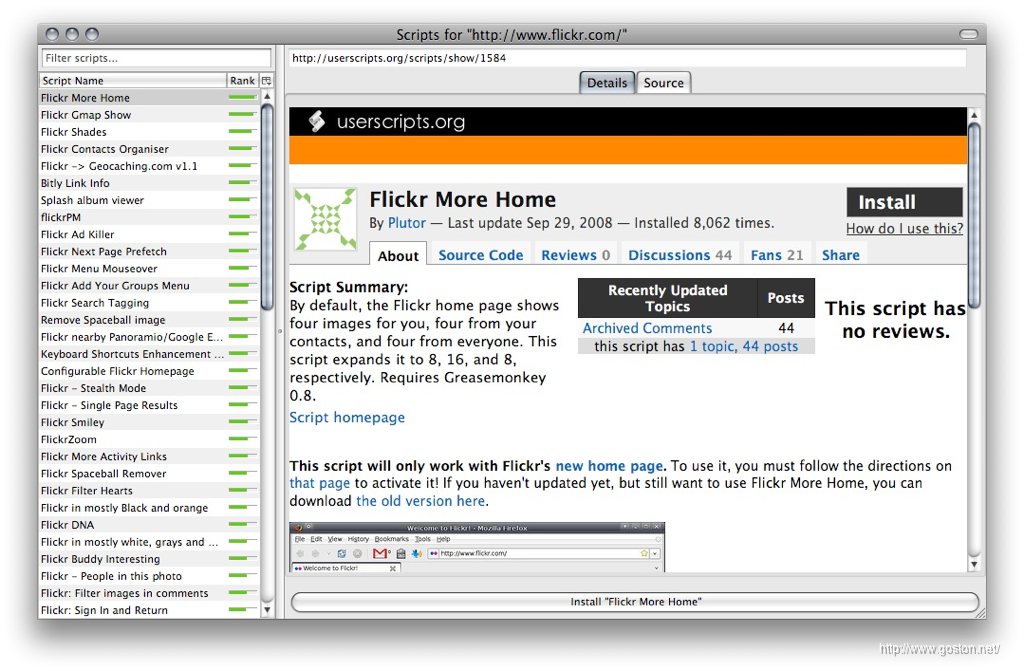
點選選單後, 便會開啟可用的 GM Script 列表, 使用者可以透過這個列表查詢支援的 GM Script。於清單點選有興趣的項目後, 便會連到「Userscripts.org」中該 GM Script 的介紹及安裝頁面:
以上, 把這個實用的擴充套件推薦給「Greasmonkey」的愛用者。

相關連結:

Technorati Tags: , ,

Entry Filed under: 軟體介紹, 電腦軟體

post to del.icio.us  post to MyShare  post to HEMiDEMi  post to funP

3 Comments Add your own

  • 1. jone  |  2009/01/11 14:24

    前兩天才開始試用此工具,還真滿好用的!

    Using Mozilla Firefox Mozilla Firefox 3.0.5 on Windows Windows XP
  • 2. J  |  2009/01/13 23:19

    Lunascape v5.0 全世界速度最快的「三核心」瀏覽器!
    http://briian.com/?p=5942
    http://www.lunascape.tv/

    Using Mozilla Mozilla 1.9.0.6pre on Windows Windows XP
  • 3. Greasemonkey /, Web brows&hellip  |  2009/06/07 11:20

    [...] 套件及一些好用的腳本 [Firefox 套件] 幫 Firefox 增加 10 年的功力 – Greasemonkey 隨時掌握所瀏覽的網站在 Userscripts.org 有哪些 GM Script 可用 – Greasefire 2009-05-24 11:14:31 Posted in Web browser / [...]

    Using WordPress WordPress 2.7.1

Leave a Comment

Required

Required, hidden

Some HTML allowed:
<a href="" title=""> <abbr title=""> <acronym title=""> <b> <blockquote cite=""> <cite> <code> <del datetime=""> <em> <i> <q cite=""> <strike> <strong>

Trackback this post  |  Subscribe to the comments via RSS Feed


Donate Me

Related Posts

Recent Posts

Recent Comments