[軟體] 快速切換目錄 – FileBox eXtender


2007/03/09 09:38 1,106 Views

如果你經常得在檔案總管中的某些目錄做切換, 或是開檔、存檔時總是得切換層層的目錄才能找到需要的檔案, 那麼「FileBox eXtender」可以減少你切換時的痛苦。

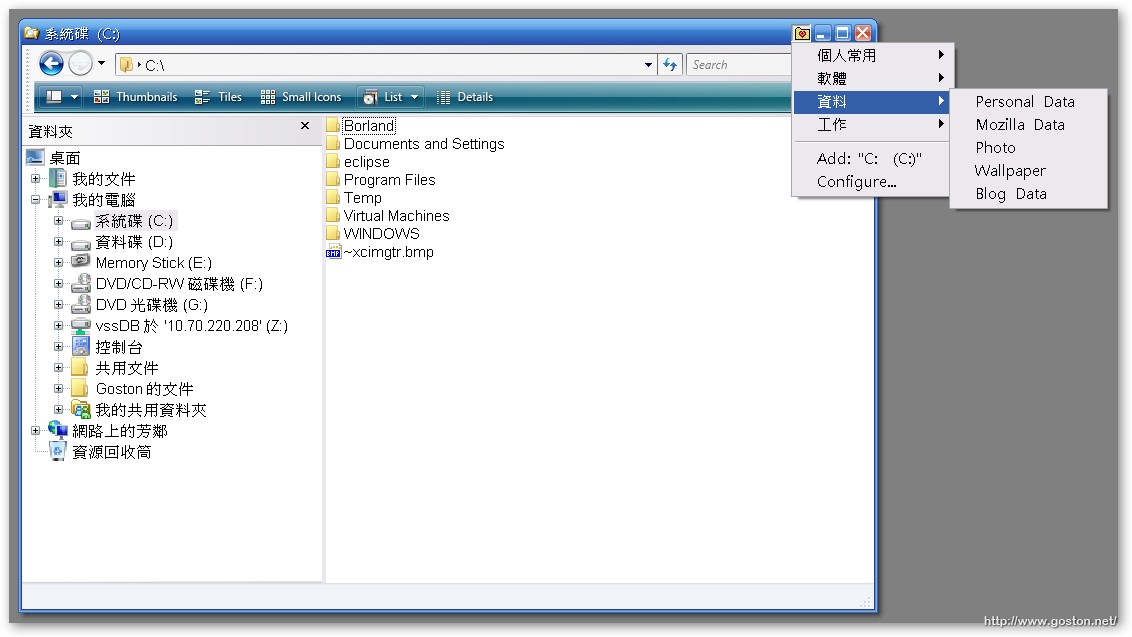
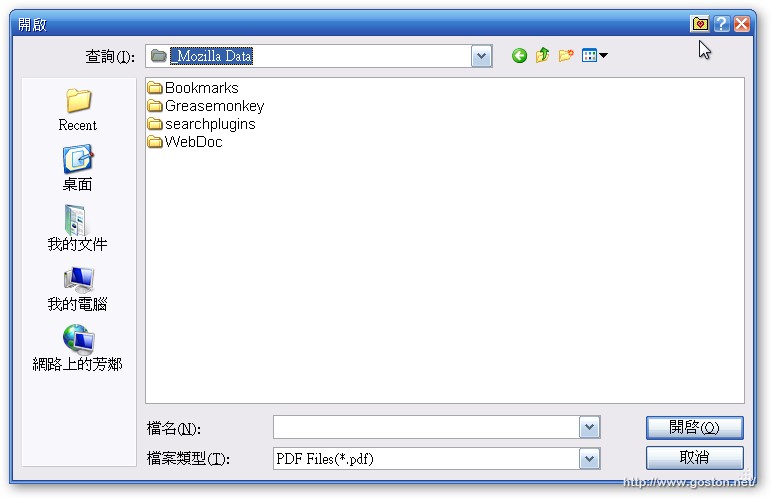
透過「FileBox eXtender」, 你可以將常用的目錄加進「FileBox eXtender」的選單中, 下次要切換目錄時就只要直接從選單選取即可。

下圖是在檔案總管中的樣子:
這是在開檔、存檔對話框中的樣子:
將這個能加速操作效率的小工具推薦給大家, 希望大家喜歡。

相關連結:

Entry Filed under: 軟體介紹,電腦軟體

post to del.icio.us  post to MyShare  post to HEMiDEMi  post to funP

Leave a Comment

Required

Required, hidden

Some HTML allowed:
<a href="" title=""> <abbr title=""> <acronym title=""> <b> <blockquote cite=""> <cite> <code> <del datetime=""> <em> <i> <q cite=""> <strike> <strong>

Trackback this post  |  Subscribe to the comments via RSS Feed


Donate Me

Related Posts

Recent Posts

Recent Comments

    [敗家] Apple iPhone 4
  • adong.info:iPhone真的好美,可惜,大陆的太贵了,等有钱了,买一台用 用。
  • 網路開店:真的需要保護殼,不然刮傷就看起來不好看,越科技感的東西越需要 保護
  • goston:@Yao 這點我知道~| 基本上那個耐摔測試真的令人傻眼。不過其實 iPhone 4 背面也不是很耐刮,建議還是裝保護殼或貼一下保護貼。
  • Yao:其實,正確的邏輯是:用了玻璃材料—>不容易 被劃傷, 而不是耐摔。 有人拿到iphone4第一天就不當心摔得粉碎。我的ip...