[Flickr] 3 秒鐘在 Blog 建立 Flash 相本


2007/06/20 17:36 3,552Views


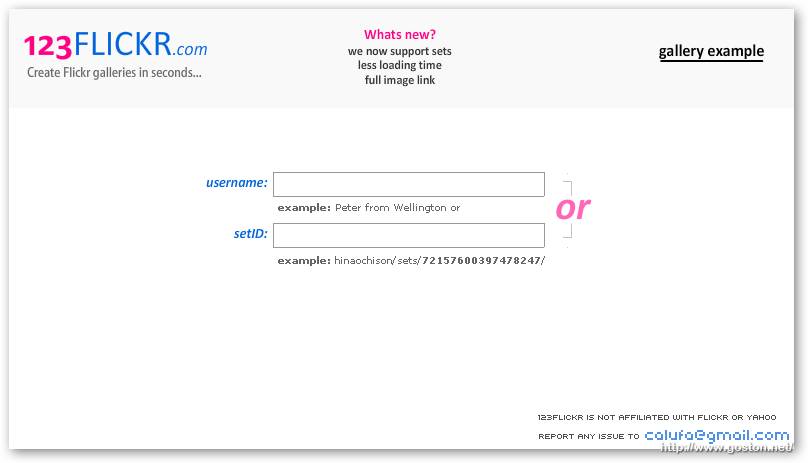
123FLICKR」站如其名, 只要簡單三個步驟, 三秒鐘內立刻幫你建立一個可以在 Blog 上發表的 Flash 相本。

廢話不多說, 讓我們直接看成果…

註: 目前「View Full size Image」的功能有 Bug, 已回報原作者原作者已修正了… :)

相關連結:

Technorati Tags:

Entry Filed under: Flickr, 部落格, 部落格新玩意

post to del.icio.us  post to MyShare  post to HEMiDEMi  post to funP

9 Comments Add your own

  • 1. 戰地記者  |  2007/06/20 18:13 | 回覆

    Great Slide!

    Using Mozilla Firefox Mozilla Firefox 2.0.0.4 on Windows Windows XP
  • 2. 星子  |  2007/06/20 20:17 | 回覆

    可以設定連續播放嗎?

    Using Mozilla Firefox Mozilla Firefox 2.0.0.3 on Windows Windows XP
  • 3. 大頭人  |  2007/06/20 20:21 | 回覆

    這個是不是必須要 付費的 flickr 會員才可以使用阿…
    因為我是免費會員他會說 fell free to try again …

    是不是就是要 pro 會員才能玩呢

    Using Internet Explorer Internet Explorer 6.0 on Windows Windows XP
  • 4. goston  |  2007/06/20 21:58 | 回覆

    @星子
    這個定位是在 Gallery 啊…
    要 Slideshow 的話我推這個啦:
    [Flickr] 內嵌類新版 Flickr Slideshow 在網頁上
    帥得咧…

    @大頭人
    你應該是 setID 貼錯吧…

    Using Mozilla Firefox Mozilla Firefox 2.0.0.4 on Windows Windows XP
  • 5. 大頭人  |  2007/06/20 23:08 | 回覆

    ㄝ…這個內嵌類新版的就可以用ㄝ

    感謝感謝唷

    Using Internet Explorer Internet Explorer 6.0 on Windows Windows XP
  • 6. ouoldman  |  2007/06/23 01:45 | 回覆

    貼在 MSN 似乎沒有效果ㄝ….???

    Using Internet Explorer Internet Explorer 6.0 on Windows Windows XP
  • 7. s9011514@blog&hellip  |  2007/06/23 16:05 | 回覆

    只要3步驟,輕鬆擁有flash相簿!(可應用在blog)…

    自從flickr推出正體中文版後,我漸漸的迷上它了。
    今天,無意間在 Goston’s Blog 看到flickr的應用,
    看到時…

    Using WordPress WordPress 2.2.1
  • 8. s9011514  |  2007/06/23 16:19 | 回覆

    很棒…我的首頁終於有東西啦!!

    Using Mozilla Firefox Mozilla Firefox 2.0.0.4 on Windows Windows XP
  • 9. jobim  |  2007/07/11 07:22 | 回覆

    請問他的Username是指哪一個阿
    我輸入都不行耶
    請告訴我為什麼 謝謝

    Using Internet Explorer Internet Explorer 6.0 on Windows Windows Server 2003

Leave a Comment

Required

Required, hidden

Some HTML allowed:
<a href="" title=""> <abbr title=""> <acronym title=""> <b> <blockquote cite=""> <cite> <code> <del datetime=""> <em> <i> <q cite=""> <strike> <strong>

Trackback this post  |  Subscribe to the comments via RSS Feed


Donate Me

Related Posts

Recent Posts

Recent Comments