[Flickr] Flickr 新版 Slideshow 上線, 提供內嵌網頁語法


2008/08/22 10:16 1,008Views


Flickr」的 Slideshow 又進行改版了!!

這次改版除了介面變得更簡潔外, 最重要的就是直接提供網頁內嵌語法方便使用者在自己的網站上展示相片。

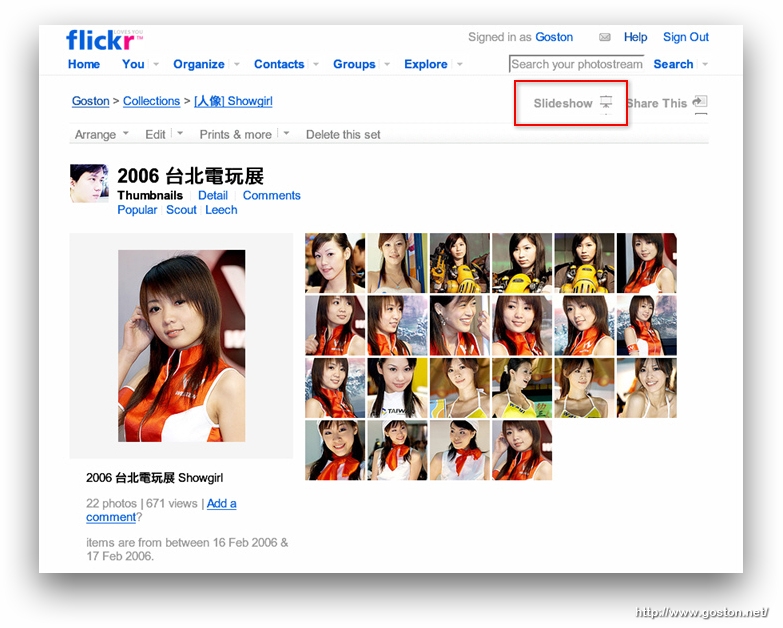
只要在任何右上方有「Slideshow」圖示的頁面點一下該圖示, 就能以新版 Slideshow 介面來瀏覽相片:

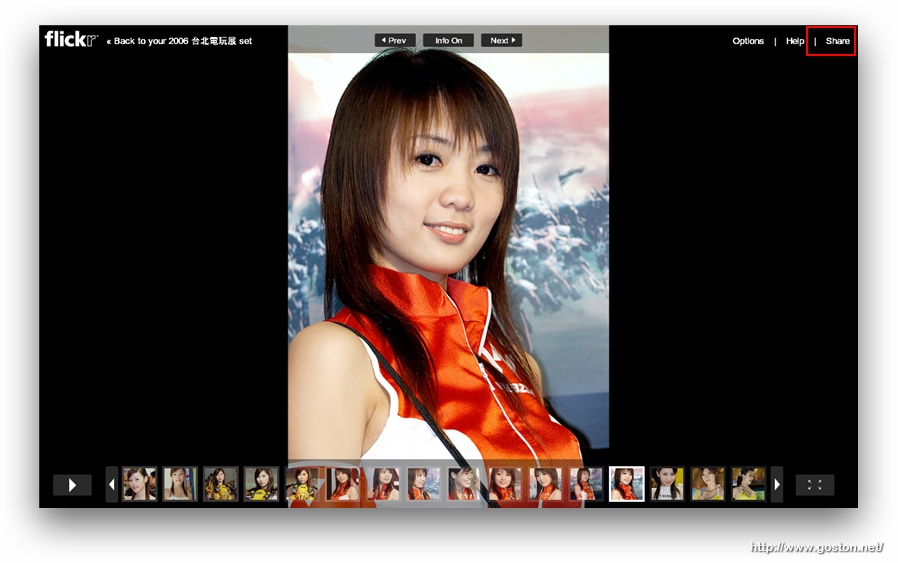
新版的 Slideshow 介面比先前更加簡潔:
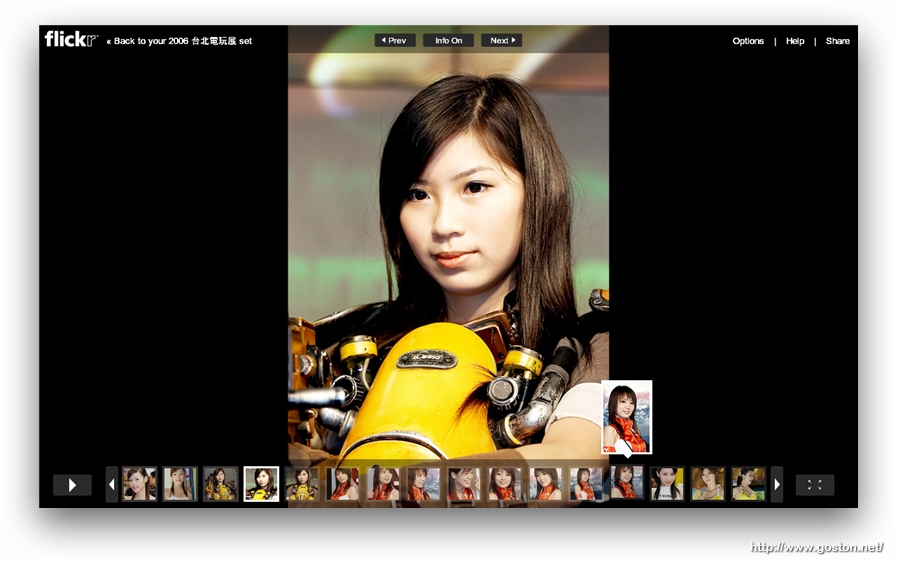
這是展開相片明細的樣子:

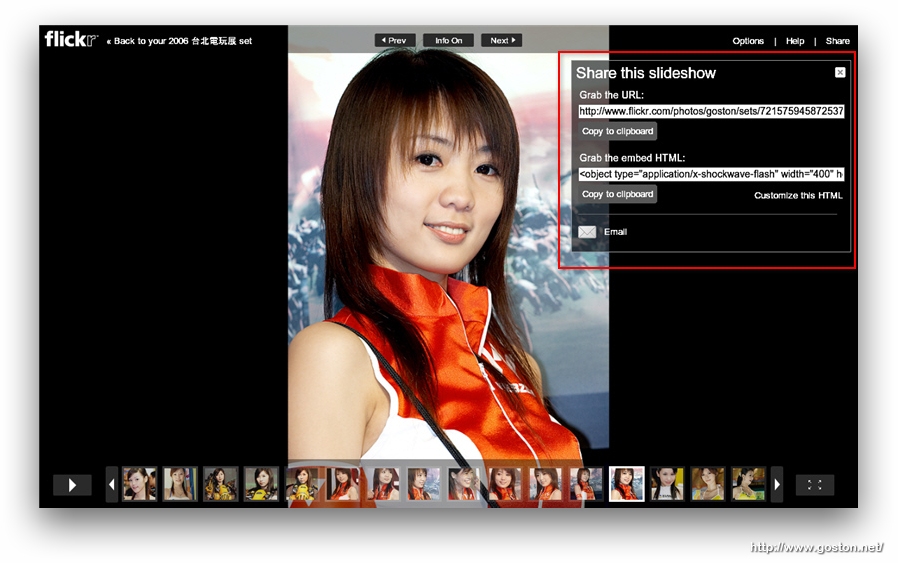
在先前我們想在網頁上內嵌「Flickr」的 Slideshow, 總是得透過各式各樣的網站取得語法, 或是仿造一個以假亂真的 Slideshow。這次「Flickr」很好心的直接提供內嵌語法供使用者取用, 只要點選 Slideshow 右上方的「Share」:

就能取得 Slideshow 的連結及內嵌語法:

只要將語法貼到自己的網站, 就可以在網站以官方的 Slideshow 介面展示相片囉:

有「Flickr」帳號的人快去玩玩吧! 使用上有遇到問題的, 可以到這一串這一串討論串回報。

相關連結:

Technorati Tags: ,

Entry Filed under: Flickr

post to del.icio.us  post to MyShare  post to HEMiDEMi  post to funP

2 Comments Add your own

  • 1. oncelove  |  2008/08/24 22:52 | 回覆

    好像不支援中文的tag

    Using Mozilla Firefox Mozilla Firefox 3.0.1 on Windows Windows XP
  • 2. ivani  |  2008/08/25 13:15 | 回覆

    確實還不支援中文的 tag,可惜了

    Using Mozilla Firefox Mozilla Firefox 3.0.1 on Windows Windows XP

Leave a Comment

Required

Required, hidden

Some HTML allowed:
<a href="" title=""> <abbr title=""> <acronym title=""> <b> <blockquote cite=""> <cite> <code> <del datetime=""> <em> <i> <q cite=""> <strike> <strong>

Trackback this post  |  Subscribe to the comments via RSS Feed


Donate Me

Related Posts

Recent Posts

Recent Comments