[後製] 用 Silkypix 快速去除人像泛黃膚色


2007/06/29 15:06 2,601Views


用「SILKYPIX」來處理 RAW 檔也好幾個月了, 直到昨天翻書才注意到這個好用的功能, 之前一直無視於它的存在真是罪過。

這個稱為「Skin color tool」的工具能夠讓泛黃的膚色, 快速恢復迷人的光彩。

使用方式很簡單, 只要選取「White balance」→「Skin color tool」:
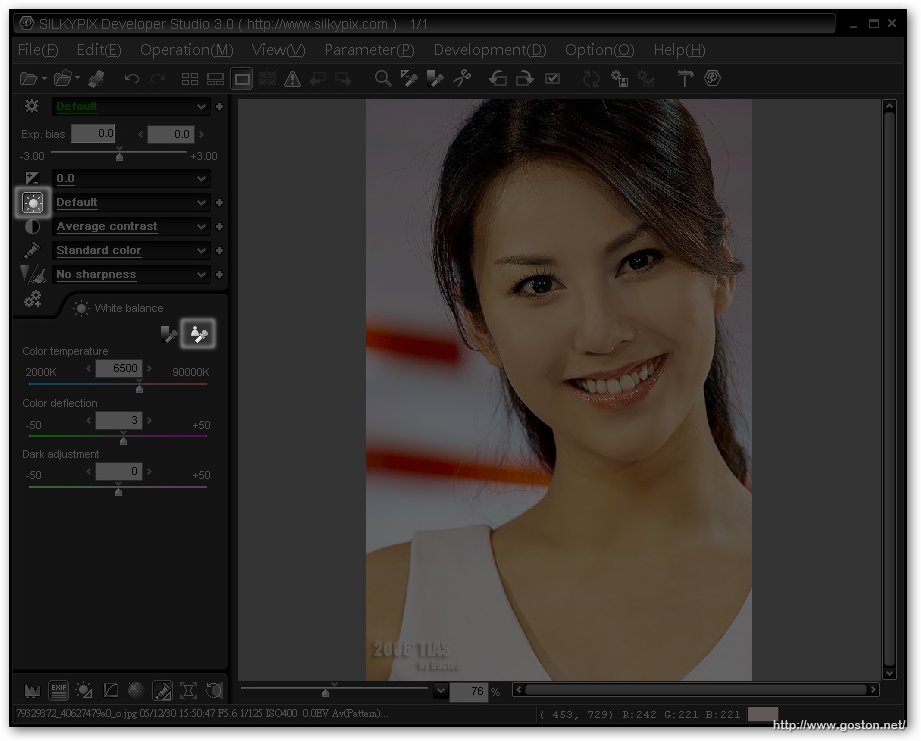
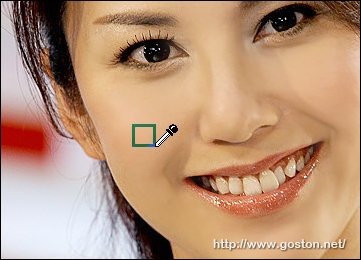
然後以滴管工具點選或圈選皮膚:
立刻就能改善膚色泛黃的情況:
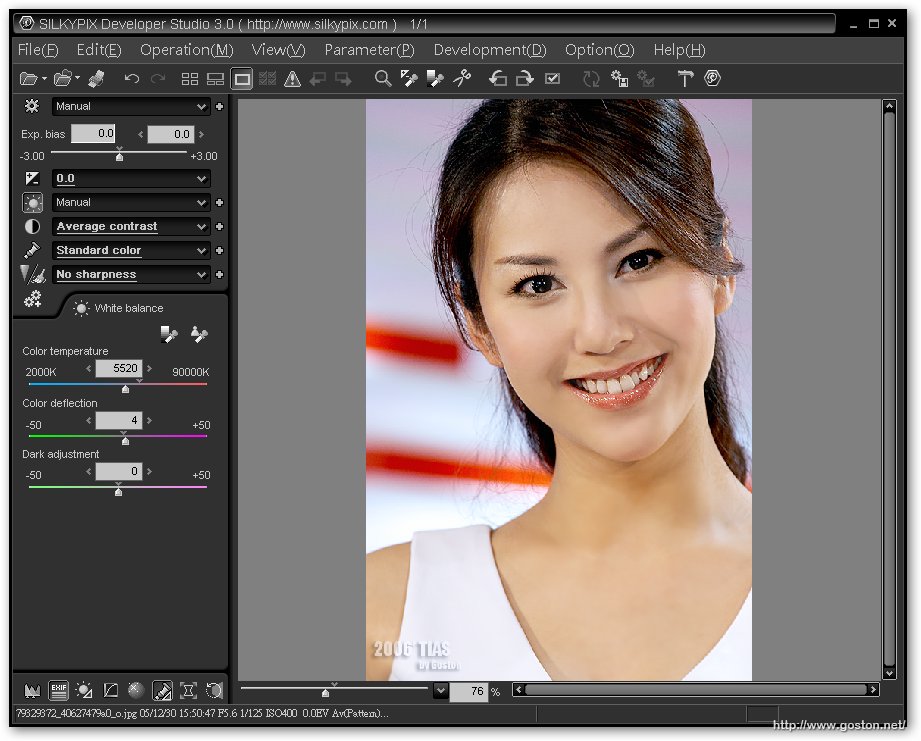
有了「Skin color tool」後, 再也不會發生一而再、再而三的來回調整色溫及白平衡偏移還搞不定膚色的情況了。

看一下處理前後的比較圖會更清楚「Skin color tool」的效果; 左邊是處理前, 右邊則是處理後:

由於「SILKYPIX」不止能處理 RAW 檔, 對於 JPG 檔也可以利用此法快速修正膚色 (本例就是用 JPG 檔), 所以也相當值得使用消費型 DC 的人一試哦!

另外,「jerome推薦的這本「超強 RAW 顯像軟體 SILKYPIX 3.0 相片編修完全解析」真的值得一讀哦! (我就是被他勸敗的)

Technorati Tags: ,

Entry Filed under: 攝影天地, 攝影教學

post to del.icio.us  post to MyShare  post to HEMiDEMi  post to funP

4 Comments Add your own

  • 1. jerome  |  2007/06/29 18:49 | 回覆

    罪過罪過!
    軟體好像也是我勸敗的

    Using Internet Explorer Internet Explorer 6.0 on Windows Windows XP
  • 2. goston  |  2007/06/29 19:48 | 回覆

    @jerome
    軟體還好啦, 我早就想買了… 不過書就完全是因為你啦, 哈哈…

    Using Mozilla Firefox Mozilla Firefox 2.0.0.4 on Windows Windows XP
  • 3. ptt 友  |  2007/07/02 23:39 | 回覆

    你好
    我想請問一下
    我試了之後 發現在不同皮膚處因為明亮的不同
    有不同的色溫測出來(差別還滿大的)
    所以不知是點在哪處會比較好
    另外方塊的大小也會影響
    到底是要畫出多大的方塊呢?
    謝謝

    Using Internet Explorer Internet Explorer 7.0 on Windows Windows XP
  • 4. goston  |  2007/07/03 09:01 | 回覆

    @ptt 友
    我個人習慣畫一小塊 (如文章中的圖的大小)…
    至於該畫在哪其實要多試試, 我個人都是畫在不亮不暗的地方, 這樣效果通常不差…

    Using Mozilla Firefox Mozilla Firefox 2.0.0.4 on Windows Windows XP

Leave a Comment

Required

Required, hidden

Some HTML allowed:
<a href="" title=""> <abbr title=""> <acronym title=""> <b> <blockquote cite=""> <cite> <code> <del datetime=""> <em> <i> <q cite=""> <strike> <strong>

Trackback this post  |  Subscribe to the comments via RSS Feed


Donate Me

Related Posts

Recent Posts

Recent Comments

    [生活] 我家客廳
  • goston:@Allen NO! NO! NO! NO! NO! 千萬別是雙胞胎, 一次一個就好... :P
  • Allen:快快加油啦,等您的好消息。最好是一次懷雙胞胎。